Navigating the wireless earbud market can feel overwhelming, with countless models promising superior sound, comfort, and features. For the everyday user, the goal isn't necessarily to find the most advanced or expensive option, but rather the pair that reliably meets specific daily needs without unnecessary complexity or cost. This guide breaks down the essential considerations, helping you prioritize features that genuinely enhance your listening experience and daily routine.
Core Features and Considerations
Sound Quality and Audio Codecs
Sound quality in wireless earbuds hinges on several factors, not just driver size. The audio codecs supported are critical; these are the algorithms that compress and decompress audio data for transmission over Bluetooth. Basic codecs like SBC offer universal compatibility but lower fidelity. AAC provides better quality, especially for Apple device users. For Android users, aptX (and its variants like aptX HD, aptX Adaptive) can deliver near CD-quality audio, provided both the earbuds and the source device support it. LDAC, another high-resolution codec, offers even higher bitrates for audiophiles. Consider your primary listening content—podcasts and audiobooks require less fidelity than high-resolution music—and your source device's codec support to avoid paying for features you cannot utilize.
Fit, Comfort, and Stability
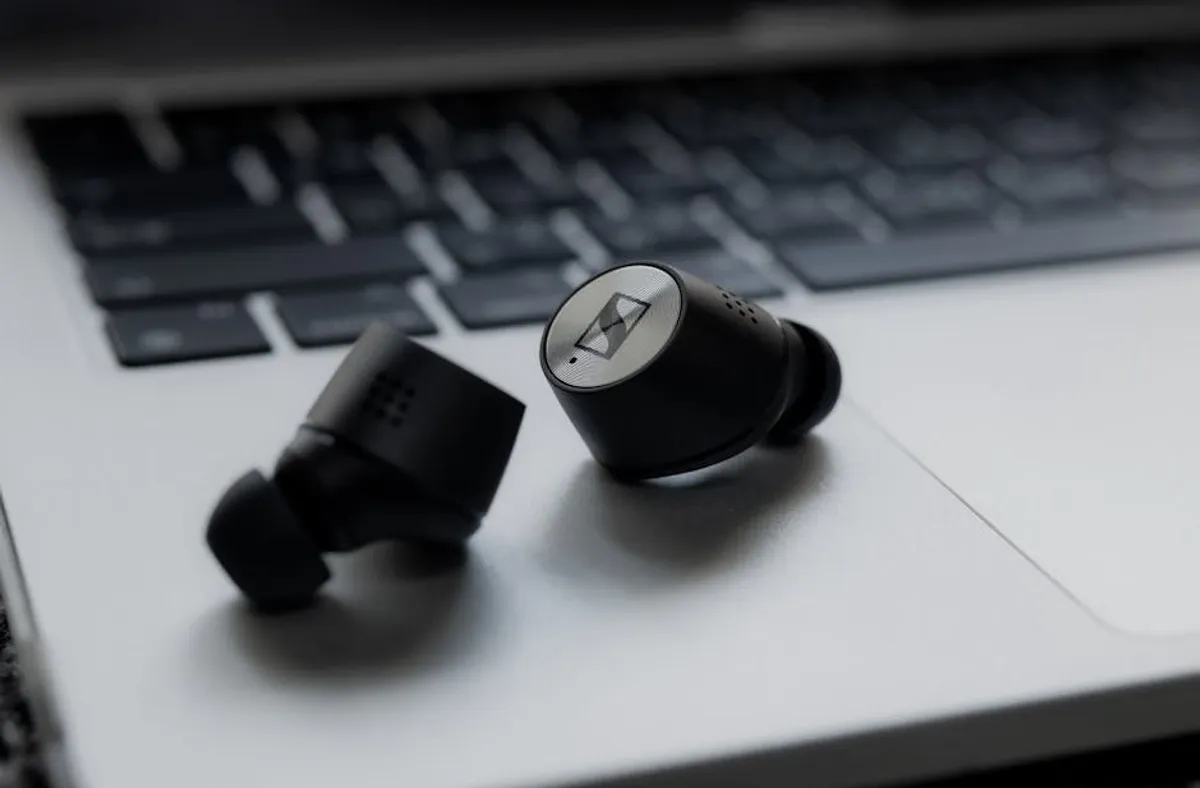
A secure and comfortable fit is paramount for wireless earbuds, impacting both sound quality and long-term wearability. Ear tips come in various materials (silicone, foam) and sizes; a proper seal is crucial for bass response and passive noise isolation. Some earbuds include wing tips or ear hooks for added stability during physical activity. Others feature an open-back design, which allows for environmental awareness but sacrifices noise isolation. Evaluate your primary use cases: commuting requires good isolation, while running demands a secure fit that won't dislodge with movement. Test different tip sizes and styles if possible, as an ill-fitting earbud can render even premium audio hardware ineffective.
Battery Life and Charging Options
Wireless earbud battery life is typically stated as playback time per charge for the earbuds themselves, plus additional charges provided by the carrying case. For everyday use, look for earbuds offering at least 5-7 hours of continuous playback, with the case extending total listening time to 20-30 hours. Fast charging is a convenient feature, providing an hour or more of playback from a quick 5-10 minute charge. Wireless charging for the case, while not essential, adds convenience for users with compatible charging pads. Assess your daily usage patterns: frequent travelers or those with long commutes will benefit from extended battery life and rapid charging capabilities.
Pro Tip: Prioritize features based on your most frequent use case. If you primarily use earbuds for calls during a commute, focus on microphone quality and noise cancellation. If it's for gym workouts, prioritize sweat resistance and a secure fit over high-fidelity audio codecs.
Connectivity and User Controls
Bluetooth version impacts connection stability, range, and power efficiency. Bluetooth 5.0 and newer versions (5.1, 5.2, LE Audio) offer improved performance over older standards. Dual-device connectivity (multipoint pairing) allows seamless switching between two paired devices, such as a phone and a laptop, without re-pairing. User controls vary widely: touch-sensitive panels, physical buttons, or voice commands. Consider which control scheme feels most intuitive for adjusting volume, skipping tracks, answering calls, and activating voice assistants. Some earbuds offer customizable controls via a companion app, allowing you to tailor functions to your preference.
Durability and Environmental Resistance
For everyday use, particularly outdoors or during workouts, durability and water resistance are key. An IP (Ingress Protection) rating indicates resistance to dust and water.
- IPX4: Resistant to splashing water from any direction, suitable for light rain or sweat.
- IPX5: Can withstand sustained low-pressure water jets, good for moderate rain or heavy sweat.
- IPX7: Can be submerged in up to 1 meter of water for 30 minutes, offering significant protection.
Higher IP ratings generally mean greater protection. Consider the environments where you'll most frequently use your earbuds and choose an IP rating that offers adequate safeguarding against moisture and dust ingress.
Making Your Final Selection
The ideal wireless earbuds for an everyday user strike a balance between performance, comfort, and cost, directly aligning with individual habits. Before committing, list your top three non-negotiable features. Is it exceptional call quality for remote work, robust water resistance for daily runs, or multipoint connectivity for seamless device switching? Understanding these priorities will narrow your options considerably. Remember that the "best" earbuds are not universally defined by price or brand, but by how well they integrate into and enhance your personal routine.
Frequently Asked Questions
Are more expensive wireless earbuds always better?
Not necessarily. Higher price points often correlate with premium features like advanced noise cancellation, high-resolution audio codecs, or superior build materials. However, if your primary use is for podcasts or casual listening, a mid-range pair might offer comparable everyday performance and comfort without the added cost of features you won't fully utilize.
What is the difference between active and passive noise cancellation?
Passive noise cancellation (PNC) relies on the physical seal of the earbud in your ear to block out external sounds. Active noise cancellation (ANC) uses microphones to detect ambient noise and then generates inverse sound waves to cancel it out, particularly effective against low-frequency hums like engine noise. ANC requires power and adds to the cost, while PNC is a function of good fit.
Can I use wireless earbuds for phone calls?
Yes, nearly all wireless earbuds include built-in microphones for phone calls. The quality of these microphones varies significantly, with some models incorporating beamforming technology or environmental noise reduction to improve voice clarity in noisy environments. For frequent calls, prioritize models known for strong microphone performance.
How do I maintain my wireless earbuds for longevity?
Regular cleaning is crucial: gently wipe ear tips and earbud surfaces with a dry or slightly damp, soft cloth to remove earwax and debris. Store them in their charging case when not in use to protect them from dust and physical damage. Avoid exposing them to extreme temperatures or harsh chemicals, and ensure they are dry before placing them back in the charging case if they have an IP rating.