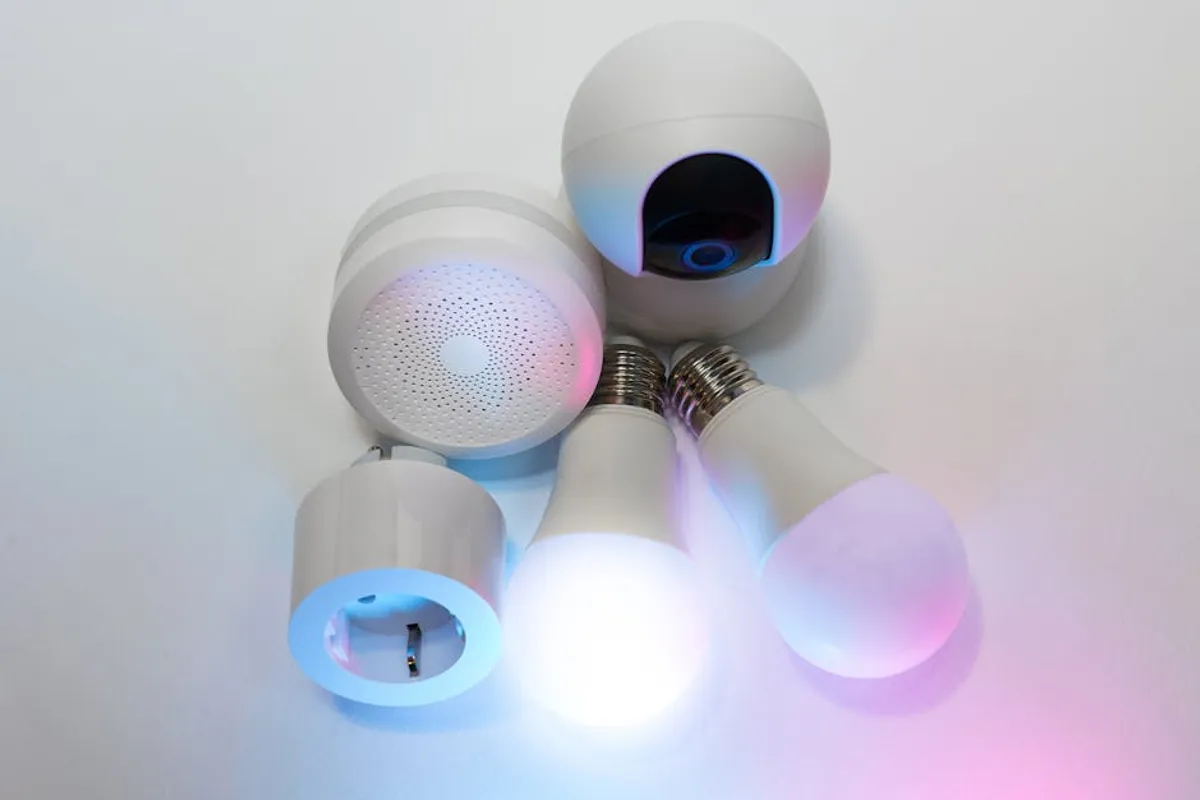
Integrating smart home devices into your living space offers convenience, but it also introduces potential security and privacy risks if not managed correctly. Every connected device, from a smart thermostat to a security camera, represents a potential entry point into your home network and personal data. The decision to adopt smart technology should therefore be paired with a proactive strategy to secure it from initial setup through ongoing maintenance. Understanding the specific vulnerabilities and implementing robust safeguards is not merely a technical exercise; it is a critical step in protecting your digital footprint and physical environment.
Initial Setup Best Practices
Network Security Foundation
Your home network serves as the backbone for all smart devices, making its security paramount. Begin by securing your Wi-Fi router, which is the gateway to your internet connection. Change the default administrator username and password immediately upon installation; these factory settings are often publicly known or easily guessed. Enable WPA3 encryption if your router supports it, as it offers stronger protection than WPA2. If WPA3 is not available, ensure WPA2-AES is selected. Consider creating a separate guest network for your smart devices, isolating them from your primary network where sensitive data resides. This network segmentation limits potential lateral movement for attackers if one smart device is compromised.
Device Selection and Sourcing
The security of your smart home ecosystem begins with the devices you choose. Opt for products from reputable manufacturers with a track record of consistent security updates and transparent privacy policies. Avoid unbranded or excessively cheap devices, as they often lack proper security features, receive infrequent firmware updates, or may even contain pre-installed vulnerabilities. Purchase devices from authorized retailers to ensure authenticity and avoid counterfeit products that could harbor malicious software. Research a device's update history and manufacturer commitment to long-term support before purchase, as ongoing patches are crucial for mitigating newly discovered threats.
Account Security
Each smart device typically requires an associated user account, and securing these accounts is a fundamental step. Create unique, complex passwords for every device and service. Avoid reusing passwords across different platforms. A strong password combines uppercase and lowercase letters, numbers, and symbols, and is at least 12-16 characters long. Implement two-factor authentication (2FA) wherever available; this adds an extra layer of security by requiring a second verification step, such as a code from your phone, in addition to your password. This significantly reduces the risk of unauthorized access even if a password is compromised.
Pro Tip: Always change default passwords immediately. Default credentials are a primary entry point for attackers, often listed publicly or easily guessed. This single step significantly reduces initial vulnerability.
Configuring Devices for Privacy and Security
Firmware Updates and Patching
Firmware is the embedded software that controls your smart devices. Manufacturers regularly release updates to patch security vulnerabilities and improve functionality. Configure devices to automatically download and install firmware updates whenever possible. If automatic updates are not an option, establish a routine for manually checking and applying updates for all your devices. Delayed patching leaves known vulnerabilities exposed, creating easy targets for exploitation.
Limiting Data Collection
Smart devices often collect extensive data, from usage patterns to environmental details and even audio/video feeds. Review each device's privacy settings and associated application permissions carefully during setup. Disable unnecessary data collection or sharing features. For instance, if a smart speaker records voice commands, understand how those recordings are stored and used. Restrict location services for devices that do not explicitly require them for core functionality. Understand that some features rely on data collection, and disabling it might impact functionality; balance convenience with your comfort level regarding data privacy.
Network Segmentation
As mentioned, network segmentation is a critical security layer. Beyond a simple guest network, advanced users might consider setting up a Virtual Local Area Network (VLAN) specifically for IoT devices. A VLAN provides a logical separation of network traffic, meaning even if a smart bulb is compromised, it cannot directly access your computer or other sensitive devices on a different VLAN. This requires a managed network switch or a router with VLAN capabilities and some technical expertise to configure, but it offers a significantly enhanced security posture.
Disabling Unnecessary Features
Many smart devices come with features enabled by default that may not be necessary for your use case and can introduce security risks. Review and disable functions such as Universal Plug and Play (UPnP), which can automatically open ports on your router, making it vulnerable to external attacks. Similarly, disable remote access features if you do not require them, or ensure they are protected by strong authentication. For devices with microphones or cameras, disable them when not in active use if the device allows, or ensure their activity is clearly indicated and controlled.
Ongoing Maintenance and Monitoring
Regular Security Audits
Security is not a one-time setup; it requires continuous vigilance. Periodically review your smart home setup. Check device logs for unusual activity, such as unauthorized access attempts or unexpected data transmissions. Audit the permissions granted to smart home apps on your smartphone. Verify that all devices are still receiving manufacturer support and updates. A biannual or quarterly review helps identify and address new vulnerabilities or configuration drift.
Physical Security Considerations
While often overlooked, the physical security of your smart devices is also important. Ensure outdoor cameras are mounted securely and out of easy reach. Protect indoor devices from unauthorized physical access, especially those that might store sensitive data or control critical home functions. A compromised device, even if network-secure, can still be exploited if an attacker gains physical access to reset it or extract data.
End-of-Life Planning
When a smart device reaches its end-of-life, either due to obsolescence or replacement, it's crucial to handle its disposal securely. Perform a factory reset to wipe all personal data and account information from the device before donating, selling, or recycling it. If the device stores data on an internal drive, ensure that data is securely erased or the drive is physically destroyed if possible. Devices that are no longer supported by manufacturer updates become significant security liabilities and should be disconnected from your network.
Securing Your Connected Home
Establishing a secure smart home environment is an ongoing process that balances convenience with robust protection. By prioritizing strong network foundations, carefully selecting and configuring devices, and maintaining vigilance through regular updates and audits, you can significantly mitigate risks. The investment of time in these security measures directly translates to greater privacy and peace of mind within your connected living space.
Frequently Asked Questions
Why is smart home device security so important?
Insecure smart home devices can create entry points for cyber attackers to access your private network, steal personal data, or even gain control over physical aspects of your home, such as locks or cameras. This can lead to privacy breaches, financial fraud, or physical safety risks.
What's the easiest way to secure my smart home network?
The easiest and most impactful steps include changing your Wi-Fi router's default administrator password, using strong, unique passwords for all device accounts, and enabling two-factor authentication (2FA) wherever available.
Should I use a separate Wi-Fi network for my smart devices?
Yes, using a separate guest Wi-Fi network or a dedicated VLAN for your smart devices is highly recommended. This isolates them from your primary network, preventing a compromised smart device from affecting your computers or other sensitive devices.
How often should I check for device updates?
Ideally, enable automatic updates for all smart devices. If manual updates are required, establish a routine to check for new firmware at least monthly, or immediately upon notification from the manufacturer, to ensure all known vulnerabilities are patched promptly.