Optimizing a professional workspace extends beyond software and workflows; the physical environment plays a critical role in sustaining focus, minimizing distractions, and enhancing output. For SEO professionals, marketers, and site owners, where deep work and analytical tasks are paramount, the right desk gadgets can translate directly into improved efficiency and reduced cognitive load. The goal isn't merely to acquire new items, but to strategically integrate tools that address specific pain points in the workday, whether it's mitigating physical discomfort, streamlining information access, or creating an environment conducive to uninterrupted concentration. This selection focuses on gadgets that offer tangible, measurable benefits to desk-bound professionals seeking to maximize their productivity.
What to Consider When Choosing Productivity Gadgets
Selecting the right desk gadgets for productivity requires a strategic approach, moving beyond impulse buys to consider genuine workflow enhancements. First, assess your primary productivity bottlenecks. Are you frequently distracted by notifications? Do you experience physical discomfort after long hours? Is your workspace cluttered, impeding focus? Gadgets should offer targeted solutions to these issues. Second, evaluate integration. How seamlessly will a new device fit into your existing setup and digital ecosystem? Compatibility with operating systems, other peripherals, and software is crucial to avoid creating new friction points. Third, consider ergonomics and long-term health. Devices that promote better posture, reduce strain, or encourage movement contribute to sustained productivity by preventing burnout and injury. Fourth, prioritize tools that automate repetitive tasks or streamline access to essential information, freeing up cognitive resources for higher-value work. Finally, weigh the investment against the potential return; a higher-cost item that significantly reduces discomfort or saves substantial time often provides a better long-term value than multiple cheaper, less effective alternatives.
1. Ergonomic Mechanical Keyboard
An ergonomic mechanical keyboard provides a superior typing experience compared to standard membrane keyboards, directly impacting typing speed, accuracy, and long-term comfort. Mechanical switches offer distinct tactile feedback and audible clicks, allowing for more precise key presses and reducing the likelihood of errors. Ergonomic designs, such as split layouts, tenting, and negative tilt, promote a more natural hand and wrist position, mitigating strain and the risk of repetitive strain injuries (RSIs) during extended typing sessions. Customizable keybindings and macro capabilities further streamline workflows by allowing users to assign complex command sequences to single key presses, accelerating common tasks in content management systems, analytics platforms, or code editors.
Best for: Professionals who spend significant time typing, coding, or data entry, where precision and comfort directly influence output and health.
Pros:
- Reduces hand and wrist strain through natural positioning and responsive key switches.
- Increases typing speed and accuracy due to distinct tactile feedback.
- Offers durability and longevity compared to membrane alternatives.
- Customizable macros and key remapping enhance workflow efficiency for repetitive tasks.
Cons:
- Higher initial cost compared to standard keyboards.
- Can be louder than membrane keyboards, potentially disturbing others in shared spaces.
- Requires a short adaptation period for split or unconventional layouts.
Verdict: This is a foundational investment for any desk-bound professional. The long-term health benefits and subtle but consistent gains in typing efficiency make it a critical tool for sustained, high-volume computer work.
2. Vertical Ergonomic Mouse
A vertical ergonomic mouse reorients the hand into a natural handshake position, which significantly reduces forearm pronation and wrist deviation compared to traditional flat mice. This design alleviates pressure on the median nerve, a common cause of carpal tunnel syndrome, and minimizes muscle strain. By maintaining a more neutral wrist posture, users can navigate and click for extended periods with reduced discomfort, directly supporting sustained productivity without interruption from pain. Advanced models often include programmable buttons, allowing for quick access to frequently used commands or software functions, further streamlining digital interaction.
Best for: Users experiencing wrist pain or discomfort from prolonged mouse use, or those looking to proactively prevent RSIs.
Pros:
- Alleviates wrist and forearm strain by promoting a neutral hand position.
- Reduces the risk of carpal tunnel syndrome and other repetitive strain injuries.
- Programmable buttons can enhance workflow efficiency.
- Available in various sizes to fit different hand dimensions for optimal comfort.
Cons:
- Requires an adjustment period to adapt to the new grip.
- May feel less precise initially for tasks requiring fine motor control (e.g., graphic design).
- Can be bulkier than standard mice, potentially requiring more desk space.
Verdict: For any professional spending hours navigating digital interfaces, a vertical mouse is a preventative and remedial tool that directly impacts comfort and, by extension, the ability to maintain focus and output throughout the day.
3. Noise-Canceling Headphones
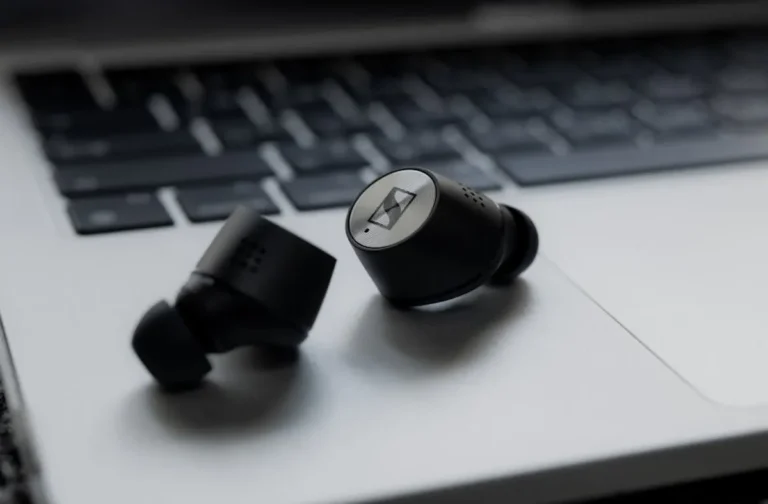
High-quality noise-canceling headphones create a personal sound sanctuary, actively filtering out ambient distractions from office chatter, HVAC hums, or external noise. This auditory isolation allows for deeper concentration on complex tasks such as data analysis, content creation, or strategic planning, where interruptions can severely disrupt cognitive flow. Beyond focus, these headphones are invaluable for clear communication during virtual meetings, ensuring critical details are heard and understood without interference, thus improving collaboration efficiency. Many models also offer superior audio quality for music, which some professionals use as a focus aid.
Best for: Professionals in open-plan offices, busy home environments, or those who frequently participate in virtual meetings and require uninterrupted focus.
Pros:
- Significantly reduces auditory distractions, fostering deeper concentration.
- Improves clarity and professionalism in virtual meetings.
- Can be used for focused music listening without disturbing others.
- Offers comfort for extended wear, often with long battery life.
Cons:
- Premium models represent a significant financial investment.
- Can create a sense of isolation, requiring users to be more deliberate about checking for external cues.
- Some users may experience pressure or discomfort from active noise cancellation over long periods.
Verdict: This is an essential productivity tool for knowledge workers in any potentially noisy environment. The ability to create an on-demand quiet zone directly translates to more focused work blocks and higher-quality output.
4. Smart Standing Desk Converter
A smart standing desk converter allows users to effortlessly transition between sitting and standing postures throughout the workday, mitigating the health risks associated with prolonged sitting and boosting energy levels. Smart features often include programmable height presets, allowing for quick adjustments to preferred sitting and standing heights, and even reminders to switch positions at regular intervals. This dynamic posture change improves circulation, reduces back pain, and can enhance cognitive function and alertness, preventing the afternoon slump. By integrating movement into the workday, professionals can sustain higher levels of focus and physical comfort, leading to more consistent productivity.
Best for: Individuals seeking to improve physical health and energy levels while working, or those who find prolonged sitting detrimental to focus.
Pros:
- Promotes healthier posture and reduces back pain by encouraging movement.
- Increases energy levels and alertness, combating fatigue.
- Programmable presets and reminders streamline posture transitions.
- More cost-effective than a full standing desk replacement.
Cons:
- Occupies a significant portion of the existing desk surface.
- Some models can be heavy and difficult to move once set up.
- Can introduce cable management challenges if not designed thoughtfully.
Verdict: A standing desk converter offers a practical and immediate improvement to workspace ergonomics, directly impacting physical well-being and the ability to maintain sustained focus throughout a long workday.
5. Monitor Arm(s)
Monitor arms elevate displays off the desk surface, freeing up valuable workspace and allowing for precise positioning of screens. This ergonomic flexibility enables users to adjust monitor height, tilt, swivel, and rotation to achieve optimal eye-level viewing, reducing neck and eye strain. For multi-monitor setups, arms facilitate ideal alignment and spacing, creating an expansive and comfortable visual workspace crucial for tasks requiring multiple open applications or extensive data comparison. The freed-up desk space contributes to a cleaner, less cluttered environment, which can positively impact cognitive focus and organization.
Best for: Professionals using single or multiple monitors who need to optimize screen positioning for ergonomics and reclaim desk space.
Pros:
- Improves ergonomics by allowing precise monitor height and angle adjustments.
- Frees up significant desk space for other tools or a cleaner aesthetic.
- Facilitates multi-monitor setups for enhanced multitasking and information display.
- Reduces neck and eye strain, contributing to sustained comfort.
Cons:
- Initial setup can be time-consuming and may require tools.
- Some desks may not be compatible with clamp-style mounts (e.g., glass desks).
- A quality arm represents an additional investment per monitor.
Verdict: A monitor arm is a fundamental upgrade for any desk setup, providing both ergonomic benefits and a more organized workspace, directly supporting longer, more comfortable, and more productive work sessions.
6. Smart Reusable Notebook (e.g., Rocketbook, reMarkable)
A smart reusable notebook combines the tactile experience of writing on paper with the efficiency of digital organization. Products like Rocketbook allow users to write notes, sketch diagrams, and brainstorm ideas, then scan and automatically upload them to cloud services (e.g., Google Drive, Dropbox, Evernote) using a smartphone app. The pages can then be wiped clean and reused, eliminating paper waste. Devices like reMarkable offer a distraction-free e-ink writing experience, allowing for focused note-taking, document annotation, and sketching without the notifications and temptations of a traditional tablet. Both approaches bridge the gap between analog thought processes and digital archiving, ensuring that valuable insights are captured, organized, and easily retrievable without manual transcription.
Best for: Professionals who prefer handwriting for brainstorming, note-taking, or planning, but require digital archiving and searchability.
Pros:
- Combines the cognitive benefits of handwriting with digital storage and searchability.
- Reduces paper consumption and environmental impact.
- Streamlines the process of digitizing and organizing handwritten notes.
- E-ink options provide a distraction-free writing environment.
Cons:
- Requires a smartphone app for scanning and cloud integration (Rocketbook).
- E-ink tablets can be a significant investment.
- Refillable pens/markers are often proprietary and may need specific replacements.
Verdict: For those who think best with a pen in hand, a smart reusable notebook offers a powerful solution to capture fleeting ideas and integrate them seamlessly into a digital workflow, reducing the friction between ideation and action.
7. Advanced Cable Management System
An advanced cable management system transforms a cluttered, distracting workspace into a clean, organized environment. This includes solutions like cable sleeves, ties, channels, and under-desk trays that route and conceal power cords, data cables, and peripheral wires. Beyond aesthetics, proper cable management prevents tangles that can damage equipment, simplifies troubleshooting, and reduces visual noise that can impede focus. A tidy desk minimizes minor frustrations and subconscious distractions, allowing professionals to maintain a clearer mental space for complex tasks and analytical work.
Best for: Any desk-bound professional looking to reduce visual clutter, improve desk aesthetics, and prevent cable-related frustrations.
Pros:
- Significantly reduces visual clutter, promoting a calmer and more focused environment.
- Prevents cable damage and simplifies troubleshooting.
- Improves safety by eliminating tripping hazards.
- Contributes to a professional and organized appearance.
Cons:
- Requires an initial time investment for setup and organization.
- May need to be reconfigured with new equipment or changes to the setup.
- Some solutions require drilling or semi-permanent installation.
Verdict: While seemingly minor, effective cable management provides a substantial return on investment by eliminating a pervasive source of visual distraction and friction, allowing for more sustained periods of deep work.
8. Smart Lighting System (e.g., Philips Hue, Nanoleaf)
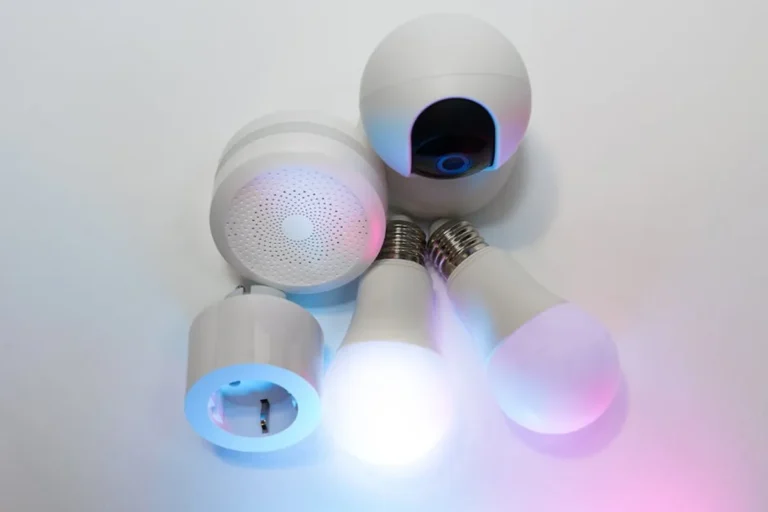
A smart lighting system allows for precise control over the color temperature and intensity of your workspace illumination, directly influencing mood, energy levels, and eye comfort. For productivity, this means the ability to switch from cool, bright white light (mimicking daylight) for alertness and focus during the morning, to warmer, softer tones in the evening to reduce eye strain and prepare for winding down. Some systems integrate with productivity apps or time-of-day schedules, automatically adjusting lighting to support circadian rhythms. This dynamic control over ambient light can mitigate fatigue, improve visual clarity for detailed work, and create an environment optimally suited for various tasks throughout the day.
Best for: Professionals who work long hours, experience eye strain, or want to optimize their environment for different cognitive states (focus vs. relaxation).
Pros:
- Optimizes ambient light for different tasks and times of day, enhancing focus and reducing eye strain.
- Supports natural circadian rhythms, potentially improving sleep quality.
- Can be automated and integrated with other smart home or productivity systems.
- Offers aesthetic benefits for a more personalized workspace.
Cons:
- Initial investment can be higher than traditional lighting solutions.
- Requires a hub or bridge for full functionality in some systems.
- Learning curve for advanced customization and scheduling.
Verdict: Smart lighting moves beyond simple illumination to become a strategic tool for managing energy, mood, and visual comfort, directly contributing to sustained cognitive performance over extended work periods.
9. Physical Focus Timer (e.g., TimeCube)
A physical focus timer, such as a TimeCube, simplifies time management by providing a tangible, non-digital cue for focused work intervals and breaks. Unlike software timers that can be buried under applications or trigger distracting notifications, a physical timer offers a clear, immediate visual and often auditory signal. This encourages adherence to time-boxing techniques like the Pomodoro Technique, breaking down work into manageable, concentrated sprints. The act of physically setting the timer reinforces commitment to the task at hand, reducing procrastination and improving adherence to structured work blocks, which is crucial for deep work and project completion.
Best for: Individuals who struggle with digital distractions, benefit from structured time management, or want to implement techniques like the Pomodoro Method.
Pros:
- Provides a clear, non-digital cue for work intervals, reducing digital distractions.
- Encourages adherence to time management techniques like Pomodoro.
- Simple to use, requiring no setup or software.
- Tangible interaction reinforces commitment to focused work.
Cons:
- Limited functionality compared to app-based timers (e.g., no task tracking).
- Can be noisy for others if using an audible alarm.
- Relies on self-discipline to consistently utilize the tool.
Verdict: For a minimal investment, a physical focus timer offers a powerful, distraction-free method to structure work, improve time management, and cultivate habits of deep concentration.
10. Portable SSD with USB-C Hub Integration
A portable SSD (Solid State Drive) combined with an integrated USB-C hub provides both rapid data transfer and expanded connectivity, streamlining workflows for professionals who manage large files or frequently connect peripherals. The SSD offers high-speed storage for project files, backups, or media, reducing wait times for file operations. The integrated hub typically includes additional USB-A ports, HDMI output, and an SD card reader, consolidating multiple adapters into a single, compact device. This reduces desktop clutter, simplifies connections, and ensures that essential data and peripherals are always accessible, minimizing friction points in data-intensive or presentation-heavy workflows.
Best for: Professionals who frequently transfer large files, use multiple peripherals with a laptop, or need expanded connectivity for presentations and external displays.
Pros:
- Combines high-speed portable storage with essential connectivity options.
- Reduces cable clutter by consolidating multiple adapters into one device.
- Facilitates quick data backups and access to large project files.
- Enhances portability for professionals working across different locations.
Cons:
- Higher cost than separate SSDs and hubs.
- The integrated hub's port selection may not suit every specific need.
- Can generate heat during intensive use.
Verdict: This gadget is a practical powerhouse for modern professionals, offering a dual benefit of rapid data management and comprehensive connectivity in a single, space-saving unit, directly improving workflow efficiency.
11. Desk Mat with Integrated Wireless Charging
A desk mat with integrated wireless charging serves a dual purpose: providing a smooth, consistent surface for mouse movement and protecting the desk, while also offering convenient, clutter-free power for Qi-compatible devices. This eliminates the need for separate charging cables and pads, reducing visual clutter and freeing up USB ports. By simply placing a smartphone or earbuds on a designated area of the mat, devices are kept charged and within easy reach, minimizing the distraction of low battery notifications and preventing interruptions to search for a charger. This subtle integration streamlines device management and maintains a cleaner, more organized workspace.
Best for: Professionals with Qi-compatible devices who want to reduce cable clutter and ensure their essential gadgets are always charged and accessible.
Pros:
- Reduces cable clutter on the desk by integrating charging into the mat.
- Keeps essential devices charged and within easy reach, minimizing interruptions.
- Provides a consistent, comfortable surface for mouse operation.
- Protects the desk surface from scratches and spills.
Cons:
- Only compatible with Qi-enabled devices.
- Charging speed may not be as fast as dedicated wired chargers.
- The mat itself requires a power connection, which adds one cable.
Verdict: This gadget offers a smart, seamless way to keep devices powered and the workspace tidy, contributing to an environment that supports sustained focus by removing minor, recurring frustrations.
12. Smart Mug or Beverage Warmer
A smart mug or beverage warmer maintains your drink at an ideal temperature for extended periods, eliminating the need for frequent trips to the kitchen to reheat coffee or tea. This seemingly small convenience has a direct impact on productivity by preventing micro-interruptions that break concentration. Each trip away from the desk, even for a minute, can disrupt a cognitive flow state, requiring time and effort to re-engage with the task. By ensuring a consistently warm beverage, professionals can remain immersed in their work, sustaining focus for longer, uninterrupted blocks.
Best for: Professionals who consume hot beverages and want to minimize desk-side interruptions and maintain focus.
Pros:
- Prevents micro-interruptions by keeping beverages at an optimal temperature.
- Reduces the need for frequent trips away from the desk to reheat drinks.
- Ensures a consistently enjoyable beverage experience.
- Some models offer smart features like app control or automatic shut-off.
Cons:
- Requires a dedicated power outlet on the desk.
- Limited to specific mug sizes or types for some models.
- Can be a higher initial cost than a standard mug.
Verdict: This gadget addresses a common, subtle source of distraction, providing a tangible benefit by allowing professionals to maintain their focus and workflow without interruption from a cooling beverage.
Optimizing Your Workspace: Measuring the Impact of Gadgets
Integrating productivity gadgets is only the first step; understanding their actual impact requires observation and, where possible, measurement. Begin by establishing a baseline: track your average duration of focused work blocks, perceived levels of distraction, or instances of physical discomfort over a typical week. After introducing a new gadget, monitor these metrics again. For instance, with an ergonomic keyboard or mouse, note any reduction in wrist or neck pain. With noise-canceling headphones, observe if your average focused work session extends or if you feel less drained by ambient noise. For time-management tools, track adherence to work-break schedules. While not all benefits are quantifiable with hard data, qualitative improvements in comfort, mental clarity, and reduced frustration are equally valuable. The goal is to identify which tools genuinely remove friction from your workflow, allowing for more sustained, higher-quality output, rather than simply adding more items to your desk.
Frequently Asked Questions About Productivity Gadgets
Q: Are expensive gadgets always better for productivity?
A: Not necessarily. The effectiveness of a gadget is less about its price and more about how well it addresses a specific pain point in your workflow. A well-chosen, moderately priced ergonomic mouse might yield greater productivity gains than a high-end, feature-rich gadget you don't fully utilize. Prioritize functionality that solves your unique challenges.
Q: How do I avoid buying gadgets that end up as clutter?
A: Before purchasing, clearly identify the specific problem you're trying to solve. Research reviews that highlight practical applications and long-term utility, not just features. Consider a trial period if possible. If a gadget doesn't seamlessly integrate into your routine or provide a tangible benefit within a few weeks, it's likely to become clutter.
Q: Can too many gadgets be counterproductive?
A: Yes. An overly complex