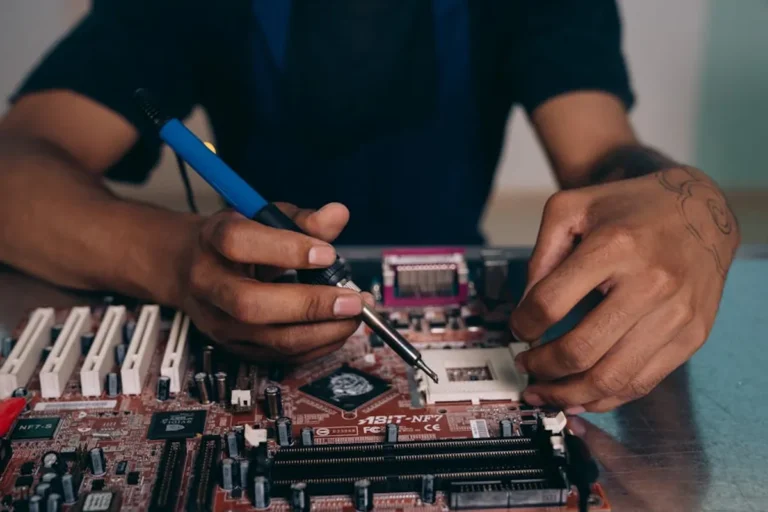
For SEO professionals, marketers, and site owners, device reliability directly impacts productivity, client trust, and business continuity. A damaged laptop, a compromised smartphone, or lost data can halt critical campaigns, delay reporting, and expose sensitive information. Protecting your devices from both physical damage and data loss is not merely a best practice; it is a foundational element of operational resilience.
The strategies outlined here address common vulnerabilities, offering actionable steps to safeguard your hardware and the invaluable data it contains. Proactive measures minimize downtime, reduce recovery costs, and maintain the integrity of your professional operations.
Physical Device Protection
Physical damage can render a device inoperable, leading to immediate productivity loss and potential data inaccessibility. Implementing physical safeguards extends device lifespan and reduces repair frequency.
Utilize Protective Gear
Cases and Screen Protectors: A robust case for laptops, tablets, and smartphones absorbs impact from accidental drops, preventing screen cracks, chassis deformation, and internal component damage. Screen protectors guard against scratches and minor impacts, preserving display clarity and touch functionality.
Keyboard Covers: Transparent silicone covers fit over keyboards, preventing liquid spills, dust, and debris from entering sensitive internal components. This is particularly relevant for laptops used in dynamic environments where food or drinks are present.
Manage Environmental Factors
Temperature Extremes: Avoid exposing devices to extreme heat (e.g., leaving a laptop in a hot car) or cold. High temperatures accelerate battery degradation and can cause thermal throttling, reducing performance. Extreme cold can stress components and lead to condensation upon warming, risking short circuits.
Liquid Exposure: Keep beverages away from workstations. Even small spills can corrode internal circuitry, rendering devices irreparable. If a spill occurs, immediately power down the device, disconnect it from power, and allow it to dry completely before attempting to restart.
Dust and Debris: Regular cleaning of cooling vents and ports prevents dust buildup, which can obstruct airflow, cause overheating, and reduce component lifespan. Use compressed air specifically designed for electronics to dislodge dust without causing damage.
Implement Power Protection
Surge Protectors: Connect all critical devices (desktops, monitors, external drives) to surge protectors. These devices divert excess voltage from power surges, preventing damage to sensitive electronics during electrical fluctuations or lightning strikes.
Uninterruptible Power Supplies (UPS): For desktop computers and servers, a UPS provides battery backup during power outages, allowing for a graceful shutdown without data corruption. It also filters minor power fluctuations that can degrade components over time.
Pro Tip: Regularly inspect all charging cables and power adapters for fraying or damage. Damaged cables can cause electrical shorts, fire hazards, or deliver inconsistent power, which can degrade device batteries and internal components over time.
Digital Data Protection
Data loss can stem from hardware failure, human error, cyberattacks, or theft. A comprehensive data protection strategy involves multiple layers of defense to ensure data availability and integrity.
Establish Robust Backup Strategies
The "3-2-1 backup rule" is a critical guideline: maintain at least three copies of your data, store them on two different types of media, and keep one copy offsite.
- Local Backups: Use external hard drives or network-attached storage (NAS) devices for frequent, easily accessible backups. These are fast for recovery but vulnerable to local disasters.
- Cloud Backups: Utilize reputable cloud backup services (e.g., Google Drive, Dropbox, OneDrive, specialized backup solutions). Cloud storage offers offsite redundancy, protecting against physical damage or theft at your primary location.
- Automated Backups: Configure systems to perform backups automatically and regularly. Manual backups are prone to omission and inconsistency.
Deploy Security Software
Antivirus and Anti-Malware: Install and maintain reputable antivirus and anti-malware software on all devices. These tools detect and remove malicious software, preventing data corruption, theft, and system compromise. Ensure real-time protection is active and schedule regular full system scans.
Firewalls: Enable software firewalls on individual devices and ensure network firewalls are properly configured. Firewalls monitor and control incoming and outgoing network traffic, blocking unauthorized access attempts and preventing malware from communicating with external servers.
Strengthen Access Controls
Strong, Unique Passwords: Use complex, unique passwords for every account. Combine uppercase and lowercase letters, numbers, and symbols. Avoid easily guessable information. A password manager can securely store and generate these credentials.
Multi-Factor Authentication (MFA): Enable MFA wherever possible. This adds a crucial second layer of security, typically requiring a code from a mobile app or a physical key in addition to a password, significantly reducing the risk of unauthorized access even if a password is stolen.
Maintain Software Hygiene
Regular Software Updates: Keep operating systems, applications, and web browsers updated. Software updates frequently include security patches that fix newly discovered vulnerabilities, preventing exploits that could lead to data breaches or system compromise.
Secure Wi-Fi Practices: Avoid conducting sensitive transactions or accessing confidential data over public, unsecured Wi-Fi networks. If unavoidable, use a Virtual Private Network (VPN) to encrypt your internet traffic, protecting it from eavesdropping.
Implement Data Encryption
Full Disk Encryption: Enable full disk encryption (e.g., BitLocker for Windows, FileVault for macOS) on laptops and external drives. This renders all data unreadable if the device is lost or stolen, protecting sensitive information from unauthorized access.
File-Level Encryption: For highly sensitive documents, consider file-level encryption. This adds an extra layer of protection, ensuring specific files remain encrypted even if the device's overall security is breached.
Actionable Steps for Device Longevity and Data Security
Protecting your devices and data requires a consistent, multi-faceted approach. Integrate these practices into your daily workflow to build a resilient operational environment.
- Audit Your Devices: Inventory all devices used for professional work. Assess their current protection status, from physical cases to backup configurations.
- Schedule Regular Maintenance: Set calendar reminders for tasks like cleaning vents, checking backup integrity, and reviewing security software logs.
- Educate Yourself and Your Team: Understand common threats like phishing, ransomware, and social engineering. Share best practices for secure computing.
- Test Your Backups: Periodically verify that your backup files are recoverable. A backup that cannot be restored is effectively no backup at all.
- Secure Old Devices: Before disposing of or recycling old devices, perform a secure data wipe to prevent recovery of sensitive information. Simple deletion is not sufficient.
Frequently Asked Questions
How often should I back up my data?
For critical professional data, daily backups are recommended. For less frequently updated information, weekly backups may suffice. The frequency should align with how much data you can afford to lose between backups.
Are free antivirus programs sufficient for business use?
While free antivirus programs offer basic protection, paid versions typically provide more advanced features such as real-time threat detection, firewall integration, phishing protection, and dedicated support, which are more suitable for professional environments with higher security requirements.
What is the most common cause of data loss?
Human error, such as accidental deletion or formatting, is a leading cause of data loss. Other common causes include hardware failure, software corruption, cyberattacks (like ransomware), and physical damage to devices.
Should I use a VPN on my home network?
Using a VPN on your home network encrypts your internet traffic, enhancing privacy and security, especially if you handle sensitive information. While not strictly necessary for all home users, it adds a valuable layer of protection against surveillance and potential data interception.