Maintaining electronic equipment is not merely a best practice; it is a critical operational imperative for any business relying on digital infrastructure. From desktop workstations and server racks to mobile devices and networking hardware, the longevity and performance of these assets directly impact productivity, data security, and financial overhead. Proactive maintenance mitigates unexpected failures, reduces repair costs, and ensures consistent uptime, safeguarding against disruptions that can halt critical business functions.
This guide outlines key maintenance practices designed to preserve your electronic investments, detailing their benefits, practical applications, and potential considerations. Each recommendation focuses on actionable steps that extend device lifespan and optimize operational reliability.
Foundational Principles for Electronic Device Longevity
Effective electronics maintenance hinges on a few core principles that apply across a wide range of devices. These foundational ideas guide specific actions and help prioritize efforts, ensuring that maintenance is systematic and impactful, rather than reactive or haphazard.
- Understand Environmental Factors: Electronics are sensitive to their surroundings. Temperature, humidity, dust, and even static electricity can significantly degrade components over time. Maintaining a stable, clean environment is often the first line of defense.
- Prioritize Regularity: Sporadic maintenance is less effective than a consistent schedule. Establishing routine checks and cleaning protocols, even for seemingly minor tasks, prevents small issues from escalating into major failures.
- Use Appropriate Tools and Methods: Employing the correct cleaning agents, tools, and techniques is crucial. Improper maintenance can cause more damage than neglect. Always refer to manufacturer guidelines when available.
- Focus on Prevention: The goal of maintenance is to prevent problems before they occur. This includes proactive measures like surge protection, proper ventilation, and timely software updates, which address common vulnerabilities.
- Educate Users: Human interaction is a significant factor in device wear and tear. Educating staff on best practices for handling, charging, and operating equipment can drastically reduce accidental damage and misuse.
1. Regular Cleaning Regimen
Implementing a consistent cleaning schedule for all electronic devices removes accumulated dust, debris, and grime that can impede airflow, cause overheating, and corrode sensitive components. This practice extends the operational life of equipment by maintaining optimal thermal performance and preventing physical obstructions.
Best for: All electronic devices, especially those with vents, fans, or exposed ports (e.g., computers, monitors, printers, networking gear, keyboards, mice).
Pros: Reduces overheating risks, improves component longevity, maintains aesthetic appearance, prevents dust-related short circuits, enhances user hygiene for input devices.
Cons: Requires dedicated time and appropriate cleaning supplies (e.g., compressed air, microfiber cloths, isopropyl alcohol), improper technique can damage components (e.g., spraying liquids directly, excessive force).
Verdict: Essential for all electronics, a regular cleaning regimen is a low-cost, high-impact practice that directly contributes to device stability and extended service life. Focus on gentle, thorough cleaning with approved materials.
2. Optimize Ventilation and Airflow
Ensuring proper ventilation is critical for electronics that generate significant heat, such as computers, servers, and power supplies. Blocked vents or inadequate spacing can lead to internal temperatures exceeding safe operating limits, accelerating component degradation and increasing the risk of thermal throttling or sudden shutdowns.
Best for: High-performance computing equipment, servers, gaming consoles, laptops, and any device with active cooling systems.
Pros: Prevents overheating, maintains consistent performance, reduces stress on internal components, extends device lifespan, decreases fan noise by allowing them to operate at lower speeds.
Cons: May require specific placement or additional accessories (e.g., laptop stands with fans), can be overlooked in compact or crowded workspaces, requires regular cleaning of vents to prevent dust buildup.
Verdict: A fundamental practice for heat-generating electronics, optimizing ventilation is a passive yet powerful maintenance step. Proper placement and clear airways are non-negotiable for stable operation and longevity.
3. Implement Robust Surge Protection
Protecting electronics from power fluctuations, voltage spikes, and lightning strikes is crucial for preventing instantaneous and irreparable damage. Surge protectors absorb excess voltage, diverting it away from connected devices, thereby safeguarding sensitive internal circuitry from electrical overload.
Best for: All critical electronics, particularly computers, monitors, networking equipment, and data storage devices, especially in areas prone to electrical storms or unstable power grids.
Pros: Prevents hardware damage from power surges, protects against data loss during electrical events, often includes insurance coverage for connected equipment, provides additional power outlets.
Cons: Surge protectors have a finite lifespan and degrade with each surge absorbed, requiring periodic replacement; cheaper units may offer inadequate protection; does not protect against prolonged over-voltage or under-voltage.
Verdict: Non-negotiable for expensive and critical electronics, robust surge protection is a cost-effective insurance policy against electrical damage. Prioritize units with high joule ratings and consider UPS (Uninterruptible Power Supply) for continuous power and advanced surge filtering.
4. Strategic Cable Management
Organizing and securing cables prevents physical damage, improves airflow, and reduces trip hazards. Tangled, kinked, or pinched cables can suffer internal breaks, leading to intermittent connectivity issues or complete failure. Proper routing also simplifies troubleshooting and maintenance access.
Best for: Workstations, server racks, networking closets, entertainment systems, and any setup with multiple connected devices.
Pros: Extends cable lifespan, prevents accidental disconnections, improves airflow around devices, reduces clutter and enhances aesthetics, simplifies identification and replacement of faulty cables.
Cons: Requires initial time investment for setup, may need specific tools (e.g., cable ties, sleeves, raceways), can become complex with frequent hardware changes.
Verdict: Beyond aesthetics, strategic cable management is a practical maintenance step that prevents physical damage to cables and ports, directly contributing to device reliability and operational safety.
5. Proactive Software and Firmware Updates
Regularly updating operating systems, applications, and device firmware addresses security vulnerabilities, fixes bugs, and introduces performance enhancements. Neglecting updates leaves systems exposed to cyber threats and can lead to software incompatibilities or suboptimal hardware performance.
Best for: All internet-connected devices, computers, smartphones, tablets, smart devices, routers, and network-attached storage (NAS).
Pros: Enhances security against new threats, improves system stability and performance, adds new features, resolves known bugs and compatibility issues, ensures compliance with software requirements.
Cons: Updates can occasionally introduce new bugs or compatibility issues, requires downtime for installation (especially for critical systems), some legacy hardware may not receive updates, user training may be needed for new features.
Verdict: A cornerstone of digital maintenance, proactive software and firmware updates are essential for security, stability, and optimal performance. Establish a schedule for deployment and test updates in non-critical environments first.
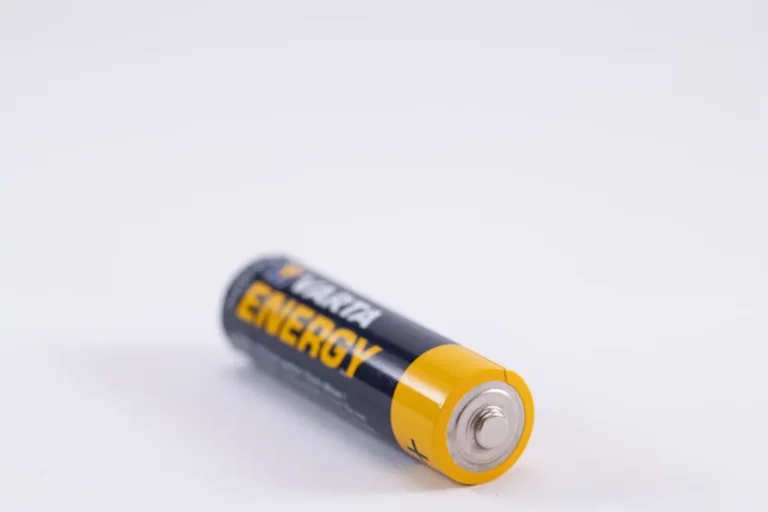
6. Optimal Battery Health Management
For devices powered by rechargeable batteries, proper charging habits and storage conditions are crucial for maximizing battery lifespan and maintaining charge capacity. Avoiding extreme temperatures, deep discharges, and constant 100% charging can significantly slow degradation.
Best for: Laptops, smartphones, tablets, wireless peripherals, and portable power tools.
Pros: Extends battery cycle life, maintains optimal charge capacity, reduces the frequency of battery replacement, ensures reliable mobile operation.
Cons: Requires conscious effort to manage charging habits, may involve software settings to limit charge levels, batteries are consumable items with finite lifespans regardless of care.
Verdict: While batteries inevitably degrade, effective management practices can substantially prolong their useful life, ensuring mobile devices remain reliable and reducing replacement costs.
7. Maintain Environmental Control
Electronics perform best within specific temperature and humidity ranges. Extreme heat can lead to component failure, while high humidity can cause condensation and corrosion. Maintaining a stable, controlled environment is particularly important for sensitive equipment.
Best for: Server rooms, data centers, high-end workstations, and precision laboratory equipment.
Pros: Prevents thermal stress and humidity-related damage, ensures consistent device performance, reduces the risk of intermittent failures, extends equipment lifespan.
Cons: Requires investment in climate control systems (HVAC, dehumidifiers), ongoing monitoring of environmental conditions, energy consumption for climate control can be significant.
Verdict: For critical infrastructure, environmental control is a primary maintenance concern, directly impacting the reliability and longevity of expensive equipment. It's a foundational element of any robust IT strategy.
8. Gentle Handling and Secure Storage
Physical stress, drops, impacts, and improper storage can cause immediate or cumulative damage to electronics. Establishing protocols for careful handling and providing secure, appropriate storage solutions prevents accidental damage and protects devices when not in use.
Best for: Laptops, tablets, smartphones, external hard drives, cameras, and any portable or fragile electronic device.
Pros: Prevents physical damage (e.g., cracked screens, broken ports, internal component shifts), extends device lifespan, maintains device aesthetics, reduces repair costs.
Cons: Requires user awareness and discipline, may necessitate investment in protective cases or dedicated storage solutions.
Verdict: Simple yet highly effective, gentle handling and secure storage are fundamental to preventing physical damage, particularly for portable and frequently moved devices. User education is key to success.
9. Data Backup and Recovery Protocol
While not strictly hardware maintenance, regular data backup is the ultimate safeguard against hardware failure, accidental deletion, or cyber-attacks. Ensuring critical data is backed up to multiple, redundant locations allows for rapid recovery and minimizes business disruption when hardware issues occur.
Best for: All devices storing critical business data, including workstations, servers, network-attached storage, and mobile devices.
Pros: Protects against data loss from hardware failure, software corruption, or cyber threats; enables rapid system recovery; ensures business continuity; provides peace of mind.
Cons: Requires initial setup and ongoing management of backup solutions, can consume significant storage resources, requires regular testing of recovery procedures to ensure efficacy.
Verdict: An indispensable practice, a robust data backup and recovery protocol is the final line of defense for information integrity, making hardware maintenance less catastrophic in the event of an unforeseen failure.
10. Avoid Liquid and Excessive Moisture Exposure
Liquids are among the most common and damaging threats to electronics, causing short circuits, corrosion, and permanent component failure. Strict protocols against bringing beverages near equipment and immediate action upon spills are essential.
Best for: All electronics, especially laptops, keyboards, smartphones, and devices in common areas or near food/drink.
Pros: Prevents catastrophic liquid damage, avoids costly repairs or replacements, maintains device functionality and reliability.
Cons: Requires constant vigilance from users, immediate and correct action is crucial in the event of a spill (e.g., immediate power-off, professional drying).
Verdict: Preventing liquid exposure is a critical, user-driven maintenance tip. A single spill can render a device irreparable, making this a high-priority safety measure.
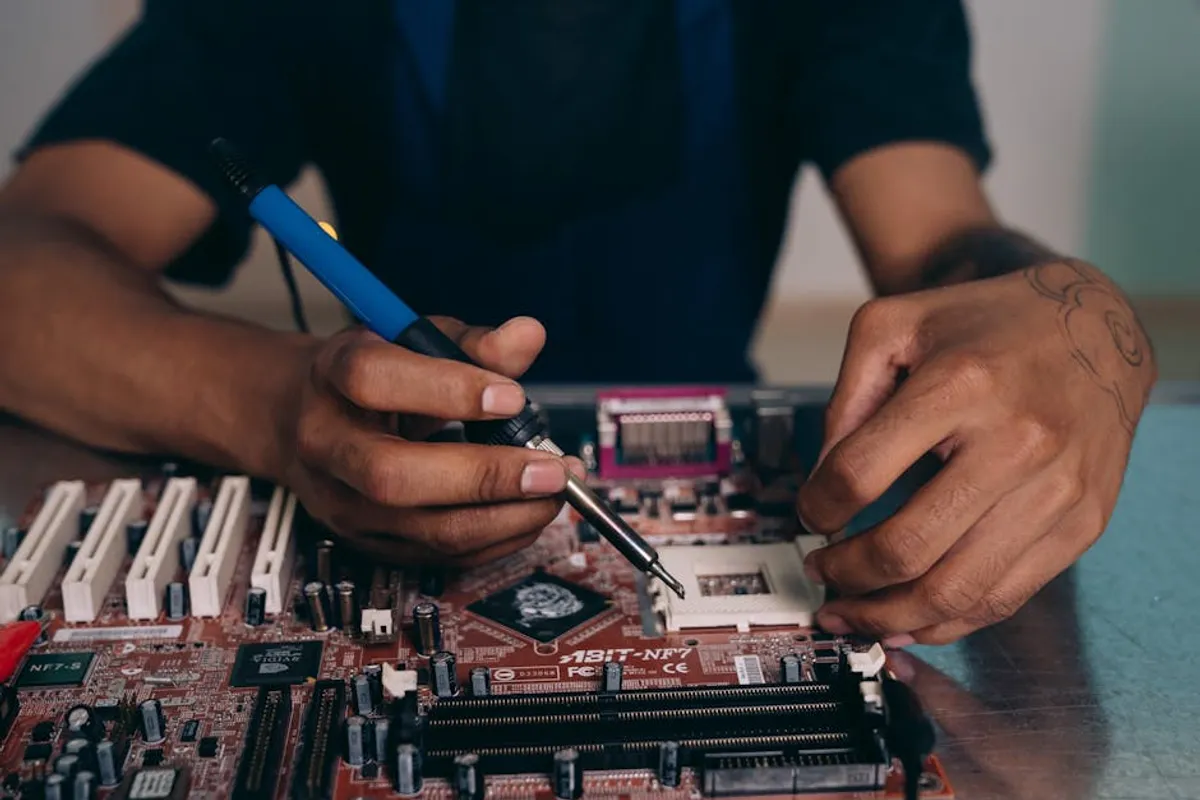
11. Timely Professional Servicing
Recognizing when a device requires professional attention, rather than attempting complex repairs in-house, prevents further damage and ensures proper diagnosis. This includes issues beyond basic troubleshooting, such as persistent hardware errors, unusual noises, or performance degradation not resolved by software fixes.
Best for: Complex devices, equipment under warranty, and situations where in-house expertise or tools are insufficient (e.g., motherboard issues, intricate component replacement, data recovery).
Pros: Ensures correct diagnosis and repair, preserves warranty coverage, prevents accidental damage from amateur repairs, accesses specialized tools and expertise.
Cons: Incurs service fees, may involve device downtime, requires vetting reputable service providers.
Verdict: Knowing when to seek professional help is a strategic maintenance decision. It protects valuable assets from irreversible damage and ensures complex issues are resolved effectively, often saving money in the long run.
12. Adherence to Manufacturer Guidelines
Manufacturers provide specific instructions for the care, use, and maintenance of their products. These guidelines often detail cleaning methods, environmental requirements, and recommended service intervals. Deviating from these can void warranties and lead to premature device failure.
Best for: All electronics, particularly new or specialized equipment where specific operational parameters are critical.
Pros: Ensures optimal device performance and longevity, maintains warranty validity, prevents damage from improper use, provides authoritative guidance on best practices.
Cons: Requires effort to read and understand manuals, guidelines can sometimes be extensive or technical, may conflict with generic maintenance advice.
Verdict: Manufacturer guidelines are the definitive source for device-specific maintenance. Adhering to them is a foundational practice that protects investments and ensures devices operate as intended throughout their expected lifespan.
Evaluating Maintenance Impact and Prioritizing Practices
Measuring the success of electronics maintenance isn't always direct, but its impact can be observed through several key indicators. Reduced frequency of hardware failures, fewer unexpected downtimes, and a lower incidence of repair or replacement costs are primary metrics. Furthermore, consistent device performance, extended asset lifecycles, and improved user satisfaction with reliable equipment all signal effective maintenance. Businesses can track these by monitoring incident reports, repair logs, and asset depreciation schedules. Prioritizing maintenance practices should align with the criticality of the equipment and the potential impact of its failure. Mission-critical servers and workstations warrant the highest priority for all recommended practices, while less essential peripherals might focus on core cleaning and environmental controls. A risk-based approach, combined with a clear understanding of asset value and operational dependency, will guide the most effective allocation of maintenance resources.
Frequently Asked Questions
Q: How often should I clean my computer's internal components?
A: For office environments, a thorough internal cleaning, especially for fans and heatsinks, is recommended every 6-12 months. In dusty environments, this frequency should increase to quarterly. External surfaces and vents can be cleaned monthly.
Q: Can I use household cleaning products on my electronics?
A: No, avoid harsh household cleaners like window cleaner, bleach, or abrasive sprays. These can damage screens, coatings, and plastic finishes. Use specialized electronic cleaning wipes, microfiber cloths, and isopropyl alcohol (70% or higher) for surfaces, and compressed air for dust removal.
Q: Is it better to leave devices plugged in or let them discharge fully?
A: For devices with modern lithium-ion batteries, it's generally best to avoid full discharges and constant 100% charging. Keeping the charge between 20% and 80% can prolong battery life. For laptops used as desktops, some manufacturers offer "battery care" settings to limit charging to 80% or 90%.
Q: How do I know if my surge protector needs replacing?
A: Most quality surge protectors include an indicator light that signals when its protective circuitry has been compromised or has reached its end of life. If this light is off or indicates a fault, the unit should be replaced immediately. Even without an indicator, it's advisable to replace surge protectors every 3-5 years, or after a major electrical event.
Q: What are the signs that an electronic device is failing?
A: Common signs include unusual noises (e.g., grinding hard drives, loud fans), frequent crashes or freezes, slow performance, overheating, flickering screens, persistent error messages, and intermittent connectivity issues. Addressing these symptoms early can often prevent complete failure.