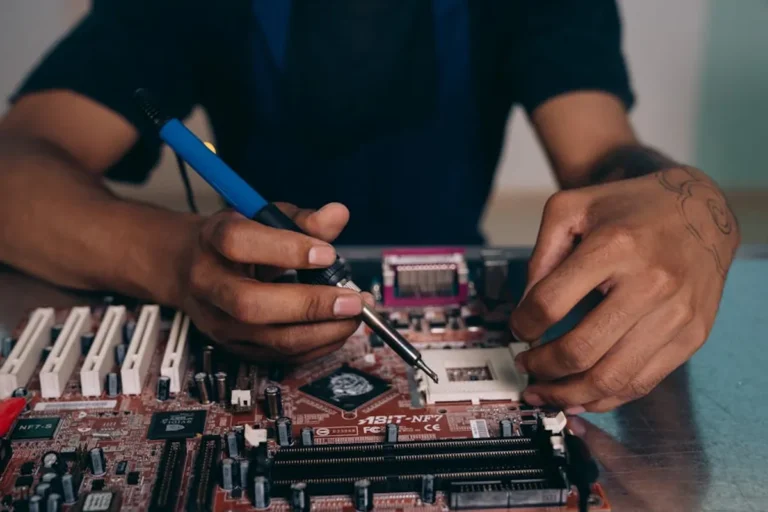
Selecting electronics that genuinely align with specific requirements, rather than succumbing to marketing hype or impulse, demands a structured approach. The objective is to acquire tools that optimize workflow, enhance productivity, or fulfill a precise functional need, delivering tangible value over their operational lifespan. This process moves beyond merely comparing feature lists to a strategic assessment of how a device integrates into an existing ecosystem, supports critical tasks, and provides a return on investment through efficiency or capability.
Define Your Core Use Case and Budget Parameters
Before evaluating any specific device, articulate its primary role. This foundational step prevents overspending on superfluous features or under-investing in critical capabilities. A clear use case dictates the necessary performance thresholds and functional priorities.
Identifying Primary Functionality
Pinpoint the exact tasks the electronic device must perform. For instance, a graphic designer requires high-resolution display accuracy and robust processing for rendering, while a field technician prioritizes ruggedness, battery endurance, and specific connectivity options. List the non-negotiable functions first. This establishes a baseline for technical specifications. Consider:
- Primary Application: Is it for intensive data analysis, content creation, communication, or specific operational control?
- Mobility Requirements: Will the device be stationary, frequently transported, or used in challenging environments? This impacts form factor, weight, and durability.
- Integration Needs: Must it interface seamlessly with existing software, hardware, or cloud services? Compatibility is a critical, often overlooked, factor.
Establishing Realistic Budget Tiers
A budget is not just a single number; it's a range. Define a minimum viable expenditure for essential functionality and a maximum threshold that incorporates desirable but non-critical enhancements. This tiered approach allows for flexibility while preventing uncontrolled spending. Factor in not just the purchase price, but also potential accessory costs, software licenses, and extended warranty options. Understanding the total cost of ownership provides a more accurate financial picture.
Evaluate Technical Specifications Against Needs
Once the use case is clear, translate those needs into concrete technical specifications. Avoid the temptation to simply choose the highest numbers; instead, match specifications to the defined functional requirements.
Processor, RAM, and Storage Considerations
These components are the bedrock of performance. For demanding tasks like video editing, CAD, or complex data modeling, a multi-core processor with high clock speeds and ample RAM (e.g., 16GB or 32GB) is essential to prevent bottlenecks. For general productivity and web browsing, a mid-range processor and 8GB of RAM often suffice. Storage type (SSD vs. HDD) and capacity are also critical. SSDs offer significantly faster boot and load times, crucial for productivity, while HDDs provide cost-effective bulk storage. Prioritize SSDs for the operating system and frequently used applications.
Display and Interface Specifics
The display is the primary interface for visual tasks. For detailed work, consider resolution (e.g., 4K for visual fidelity), color accuracy (e.g., sRGB or Adobe RGB coverage), and panel type (IPS for wider viewing angles). For portability, screen size and weight are paramount. Input methods, such as touchscreens, stylus support, or specific keyboard layouts, should also align with how the device will be used.
Connectivity and Ecosystem Compatibility
Assess the required ports (USB-C, HDMI, Ethernet), wireless standards (Wi-Fi 6E, Bluetooth 5.2), and cellular capabilities. Ensure the device integrates smoothly with existing peripherals and software ecosystems. For example, if a workflow relies heavily on specific operating system features or proprietary connectors, confirm the new electronic device supports these without requiring costly adapters or workarounds.
Pro Tip: Avoid the "future-proofing" fallacy by over-specifying components far beyond foreseeable needs. Technology evolves rapidly, and investing heavily in capabilities that won't be utilized for years often results in paying a premium for rapidly depreciating assets. Focus on meeting current and near-term requirements with a modest buffer.
Assess Durability, Support, and Longevity
The initial purchase price is only one aspect of value. The device's lifespan, reliability, and the support available significantly impact its long-term utility and cost-effectiveness.
Material Quality and Build Standards
Examine the construction materials and assembly quality. Devices intended for frequent travel or harsh environments benefit from robust chassis materials (e.g., aluminum, magnesium alloy) and certified ingress protection (IP ratings). For stationary use, build quality still contributes to overall lifespan and aesthetic durability, preventing premature wear and tear.
Warranty and After-Sales Service
A comprehensive warranty and accessible customer support are critical. Understand the warranty duration, coverage specifics (parts, labor, accidental damage), and the process for service requests. Reliable after-sales support minimizes downtime and ensures that technical issues can be resolved efficiently, preserving productivity.
Software Updates and Future-Proofing
Consider the manufacturer's track record for providing software and security updates. Regular updates enhance functionality, patch vulnerabilities, and often extend the usable life of a device. Devices with a clear update roadmap tend to offer better long-term value and maintain compatibility with evolving software standards.
Prioritize Ergonomics and User Experience
Even the most powerful device is ineffective if it's uncomfortable or difficult to use. Ergonomics and the overall user experience directly impact productivity and user satisfaction.
Physical Design and Portability
Weight, dimensions, and balance are crucial for portable devices. A device that is too heavy or bulky for its intended use will be left behind, negating its purpose. For desktop setups, consider monitor stand adjustability, keyboard layout, and mouse ergonomics. These factors contribute to sustained comfort and reduce strain during prolonged use.
Software Interface and Learning Curve
Evaluate the operating system and pre-installed software. An intuitive interface reduces the learning curve and allows users to become productive faster. Compatibility with established workflows and user preferences for specific operating systems (e.g., macOS, Windows, Linux, Android, iOS) should guide the decision. Unfamiliar interfaces can introduce friction and reduce efficiency.
Practical Selection Framework
Choosing electronics effectively requires a methodical evaluation process. Begin by clearly defining the core purpose and non-negotiable features. Then, establish a realistic budget range that accounts for total ownership costs. Systematically evaluate technical specifications, ensuring they align with the identified needs rather than simply opting for the highest numbers. Prioritize durability, manufacturer support, and a clear update policy to ensure longevity and minimize future disruptions. Finally, ensure the device’s ergonomics and user interface complement the intended usage patterns. By adhering to this framework, you select electronics that serve as true assets, enhancing capabilities and delivering measurable value.
Frequently Asked Questions
Should I always buy the newest model available?
Not necessarily. The latest models often carry a significant price premium for incremental improvements. Evaluate if the new features or performance gains directly address your specific needs. Often, a previous generation model offers substantial savings for nearly identical practical performance.
How important is brand reputation in electronics selection?
Brand reputation can indicate consistency in quality, reliability, and customer support. While not the sole factor, a brand with a proven track record often provides a safer investment. However, always verify specific product reviews and independent benchmarks, as even reputable brands can have varying product lines.
What role does resale value play in the decision?
For some, resale value is a secondary consideration, especially if the device is a long-term asset. However, if you anticipate upgrading frequently or need to recoup a portion of the investment, certain brands and product categories (e.g., high-end laptops, popular smartphones) tend to retain their value better due to strong demand and perceived longevity.
Is buying refurbished electronics a viable option?
Yes, refurbished electronics can offer excellent value, providing high-spec devices at a reduced cost. Ensure the refurbishment is performed by the original manufacturer or a certified reseller, comes with a clear warranty, and has a transparent return policy. This mitigates risks associated with pre-owned devices.