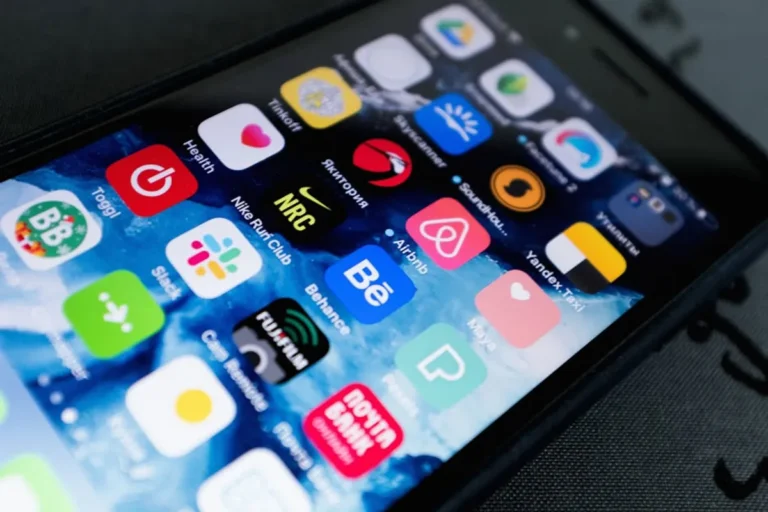
Pikashow Apk represents a common dilemma for consumers: the appeal of free content versus the inherent risks of unofficial distribution channels. This application, commonly found outside official app stores, promises complimentary access to a vast library of movies, TV shows, and live sports. While the allure of bypassing subscription fees is understandable, particularly in a fragmented streaming landscape, engaging with such platforms introduces significant security, legal, and reliability concerns. Understanding these risks is crucial for anyone considering unofficial streaming sources, and recognizing the value of legitimate alternatives provides a safer, more sustainable path to content consumption.
What is Pikashow Apk?
Pikashow Apk is an Android application package (APK) that allows users to stream copyrighted content, including films, television series, and live sports, without charge. It operates by aggregating links to content hosted on various third-party servers, bypassing the licensing agreements and distribution rights held by content creators and official streaming platforms. Because it is distributed as an APK file, users must sideload it onto their Android devices, meaning it is installed directly from a downloaded file rather than through a verified app store like Google Play. This method of distribution is typical for applications that cannot meet the security and legal standards required by official marketplaces.
Risks Associated with Pikashow Apk
While the prospect of free entertainment is attractive, using applications like Pikashow Apk carries several substantial risks that outweigh the perceived benefits:
- Malware and Viruses: Sideloading applications from untrusted sources is a primary vector for malware. Pikashow Apk files can be bundled with malicious code designed to steal personal data, compromise device security, or inject adware. Since these apps are not vetted by official app stores, there is no guarantee of their integrity.
- Privacy Breaches: Unofficial streaming apps often request extensive permissions that are not necessary for their stated function, such as access to contacts, photos, or location data. This data can be collected and sold to third parties, used for targeted advertising, or exploited for identity theft.
- Legal Ramifications: Streaming copyrighted content without permission is illegal in many jurisdictions. While individual users are less frequently prosecuted than distributors, engaging in such activities contributes to copyright infringement and can expose users to legal action, fines, or service termination by internet service providers.
- Lack of Security and Updates: Legitimate apps receive regular security patches and updates to fix vulnerabilities and improve performance. Unofficial apps like Pikashow Apk lack this consistent support, leaving users exposed to unpatched security flaws and an unreliable streaming experience.
- Unreliable Content and Quality: Content availability and quality on unofficial platforms are inconsistent. Streams can be low resolution, frequently buffer, or disappear without warning due to takedown notices or server issues. The user experience is generally poor compared to legitimate services.
- Exposure to Inappropriate Content and Ads: These platforms often feature intrusive and sometimes inappropriate advertisements, including pop-ups and redirects, which can further expose users to malware or unwanted content.
What to Look For in a Safer Alternative
When seeking alternatives to unofficial streaming applications, prioritize platforms that offer a secure, legal, and high-quality viewing experience. Consider the following criteria:
- Legality and Licensing: Ensure the service has proper licensing agreements for the content it offers. This protects you from legal risks and supports content creators.
- Security and Privacy: Choose platforms that are reputable, have strong privacy policies, and use encryption to protect your data. They should be available on official app stores.
- Content Library: Evaluate the breadth and depth of movies, TV shows, and sports available. Look for services that align with your specific interests.
- Device Compatibility: Confirm the service supports your preferred devices, such as smart TVs, smartphones, tablets, gaming consoles, and web browsers.
- User Experience: A good alternative offers an intuitive interface, reliable streaming, personalized recommendations, and features like offline downloads or multiple user profiles.
- Pricing Models: Understand the subscription tiers, ad-supported options, and any bundled deals to find a service that fits your budget without compromising on quality or legality.
Safer Alternatives for Streaming Content
1. Netflix
Netflix remains a global leader in subscription streaming, recognized for its extensive library of original series, movies, and documentaries. It offers a diverse range of genres and content produced in numerous languages, catering to a broad international audience. The platform is known for its recommendation engine, which personalizes content suggestions based on viewing history, and its commitment to high-quality production values for its exclusive titles.
Key Features: Extensive original content library, personalized recommendations, multiple user profiles, offline downloads, 4K UHD streaming available on premium plans.
Pricing: Multiple tiers, typically starting with an ad-supported plan, moving to standard plans (ad-free with higher resolution), and premium plans (4K UHD, more simultaneous streams). Pricing varies by region and plan features.
Best For: Viewers seeking a vast and continuously updated library of original and licensed content, particularly those who value binge-watching series and diverse international productions.
Pros: High-quality original programming, user-friendly interface, broad device compatibility, consistent new releases.
Cons: Content library changes as licensing agreements expire, premium plans can be expensive, no live TV options.
2. Amazon Prime Video
Amazon Prime Video is included as part of an Amazon Prime membership, offering a substantial catalog of movies, TV shows, and Amazon Originals. Beyond its included content, it functions as a digital storefront for renting or purchasing additional titles and subscribing to various premium channels. Its integration with the wider Amazon ecosystem provides additional value for Prime subscribers.
Key Features: Amazon Original series and movies, included with Prime membership, option to rent/buy additional titles, live sports (e.g., NFL Thursday Night Football in the US), premium channel subscriptions.
Pricing: Included with an Amazon Prime membership (annual or monthly), or available as a standalone monthly subscription. Additional costs for rented/purchased titles and premium channels.
Best For: Existing Amazon Prime members looking to maximize their subscription value, or individuals who appreciate a mix of included content, rental options, and live sports.
Pros: Value for Prime members, strong original content, wide selection of purchasable titles, some live sports integration.
Cons: User interface can be less intuitive than competitors, some included content requires an additional purchase, ad-supported by default unless an add-on is purchased.
3. Hulu
Hulu specializes in next-day access to current TV shows from major broadcast networks, along with a growing library of original series and movies. Its integration with live TV options makes it a comprehensive choice for cord-cutters who want both on-demand and live programming. Hulu's content often features a strong focus on popular American television.
Key Features: Next-day access to network TV shows, extensive library of movies and originals, Hulu + Live TV option for live channels, offline downloads (with certain plans).
Pricing: Multiple tiers, including ad-supported and ad-free on-demand plans. Hulu + Live TV bundles are significantly higher priced, offering over 90 live channels.
Best For: Viewers who prioritize watching current network television episodes shortly after they air, and those seeking a bundle that combines on-demand content with live TV channels.
Pros: Timely access to current TV, strong original content, flexible plans including live TV, good integration with Disney+ and ESPN+ bundles.
Cons: Ad-supported base plan can be disruptive, live TV option is expensive, content primarily focused on US market.
4. Max (formerly HBO Max)
Max combines the prestigious content of HBO with a broader library from Warner Bros., DC, Cartoon Network, and other brands under Warner Bros. Discovery. It is known for its high-quality, critically acclaimed dramas, blockbuster movies, and a deep catalog of classic films and family-friendly animated content. Max aims to be a comprehensive entertainment destination with premium offerings.
Key Features: Full HBO library, Warner Bros. films, DC universe content, Cartoon Network, TCM classics, some live sports (e.g., NHL, MLB, NBA via Bleacher Report add-on).
Pricing: Ad-supported and ad-free plans are available, with the ad-free plan offering 4K UHD content and downloads. A "Ultimate Ad Free" tier offers even more concurrent streams and downloads.
Best For: Audiences who prioritize prestige dramas, critically acclaimed series, blockbuster movies, and a diverse family-friendly catalog from established media brands.
Pros: Unparalleled quality of HBO content, large and varied library, strong movie selection, often includes new theatrical releases quickly.
Cons: Can be one of the more expensive options, content organization can sometimes feel overwhelming, frequent name and content changes can be confusing.
5. Disney+
Disney+ is the dedicated streaming home for content from Disney, Pixar, Marvel, Star Wars, and National Geographic. It offers a family-friendly library, including animated classics, blockbuster franchises, and exclusive series. Its appeal is particularly strong for households with children and fans of its core intellectual properties.
Key Features: Exclusive access to Disney, Pixar, Marvel, Star Wars, and National Geographic content, 4K UHD streaming included, multiple profiles, parental controls, offline downloads.
Pricing: Available as a standalone subscription (ad-supported or ad-free) or bundled with Hulu and ESPN+ for a more comprehensive offering.
Best For: Families, children, and fans of Disney's major franchises (Marvel, Star Wars, Pixar) looking for a curated, high-quality, and reliable content source.
Pros: Iconic and exclusive content, high production quality, family-friendly interface, good value when bundled with other services.
Cons: Limited content outside of its core brands, less adult-oriented drama compared to competitors, slower pace of new original releases than some services.
6. Peacock
Peacock, from NBCUniversal, offers a mix of free (ad-supported) and premium content, including current NBC shows, movies, live sports (e.g., Premier League, WWE), and original programming. Its tiered structure allows users to access a significant amount of content without a subscription, while premium tiers unlock more extensive libraries and live events.
Key Features: Free ad-supported tier, current NBC shows, Universal movies, live sports, original series, news, and reality TV.
Pricing: Free ad-supported tier, Peacock Premium (ad-supported with more content), Peacock Premium Plus (ad-free with downloads). Pricing is generally competitive, especially for the free tier.
Best For: Viewers seeking a budget-friendly option with a mix of current network TV, movies, and live sports, particularly fans of NBCUniversal properties.
Pros: Free tier provides good value, strong sports offerings, current NBC content, diverse genre selection.
Cons: Free tier is very ad-heavy, premium content requires subscription, library can feel less robust than top-tier competitors.
7. YouTube TV
YouTube TV is a live TV streaming service that offers a comprehensive package of over 100 channels, including local sports, news, and entertainment networks. It functions as a direct replacement for traditional cable TV, providing unlimited cloud DVR storage and a robust user interface. While primarily focused on live content, it also includes some on-demand options.
Key Features: Over 100 live TV channels (including local sports and news), unlimited cloud DVR storage, multiple user accounts, sports-focused add-ons, on-demand content.
Pricing: A single, relatively high monthly subscription fee, with optional add-ons for premium channels or sports packages.
Best For: Cord-cutters looking for a full cable TV replacement with live sports, news, and a wide array of entertainment channels, without the need for a separate internet provider bundle.
Pros: Extensive channel lineup, excellent cloud DVR, reliable streaming, good for sports fans, no hidden fees or contracts.
Cons: High monthly cost (comparable to basic cable), no free trial for extended periods, limited original content compared to on-demand services.
How to Choose the Right Alternative
Selecting the ideal streaming alternative involves assessing your individual viewing habits and priorities. Start by identifying the types of content you watch most frequently: are you primarily interested in new release movies, specific TV series, live sports, or family-friendly programming? Consider your budget for entertainment; some services offer ad-supported tiers or bundles that can reduce costs. Evaluate the devices you use for streaming to ensure compatibility. Finally, take advantage of free trials offered by legitimate platforms to test their content library, user interface, and overall experience before committing to a subscription.
Frequently Asked Questions
Is it legal to use apps like Pikashow Apk?
No, using apps like Pikashow Apk to stream copyrighted content without proper licensing is illegal and constitutes copyright infringement. These platforms operate outside of legal distribution channels.
Can unofficial streaming apps harm my device?
Yes, unofficial streaming apps downloaded from unknown sources pose significant security risks. They can contain malware, viruses, or spyware that can compromise your device's security, steal personal data, or cause system instability.
Are legitimate streaming services expensive?
Legitimate streaming services offer a range of pricing options, including free ad-supported tiers (e.g., Peacock), budget-friendly subscriptions, and premium plans. Many also offer bundles that combine multiple services for a reduced overall cost, providing high-quality content securely and legally.
Do legitimate streaming services offer live sports?
Yes, many legitimate streaming services offer live sports. Platforms like YouTube TV, Hulu + Live TV, Peacock, and Amazon Prime Video (for specific leagues) include live sports as part of their subscriptions or premium add-ons, ensuring legal and reliable access.
Can I download content for offline viewing from legitimate services?
Many legitimate streaming services, including Netflix, Amazon Prime Video, Disney+, and Max, offer the ability to download select content for offline viewing, typically with their ad-free or premium subscription tiers. This feature is generally not available or reliable on unofficial platforms.