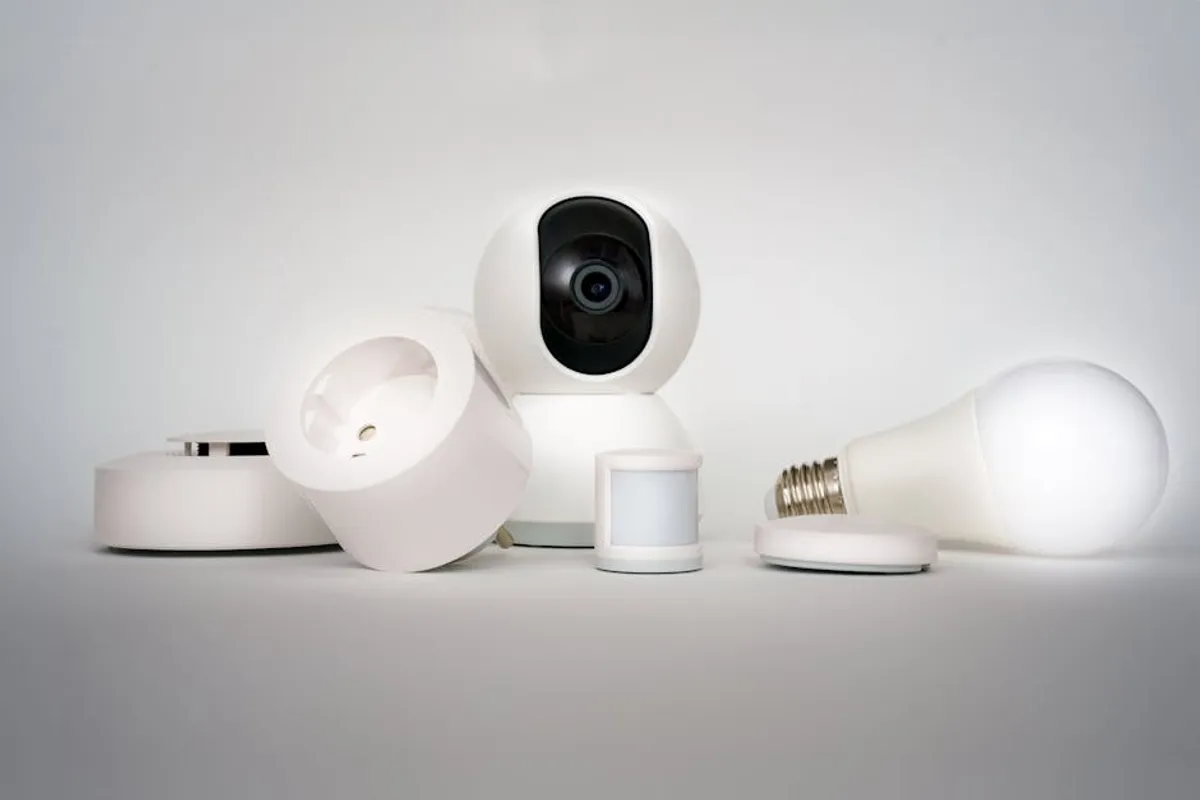
Navigating the initial landscape of smart home technology can present a series of choices, particularly for those new to connected devices. The objective for beginners is to identify gadgets that offer straightforward installation, intuitive operation, and tangible benefits without demanding extensive technical expertise or significant upfront investment in complex ecosystems. This selection focuses on devices that streamline daily routines, enhance security, or improve energy efficiency through accessible interfaces and reliable performance, serving as foundational components for a broader smart home integration over time.
What to Consider When Choosing Smart Home Gadgets
Selecting the right smart home gadgets for a beginner involves more than just identifying popular products. Critical considerations include compatibility, ease of setup, security protocols, and long-term value. Prioritize devices that integrate seamlessly with common voice assistants like Amazon Alexa or Google Assistant, as these often serve as the central control point for a nascent smart home. Look for clear setup instructions, often guided by mobile apps, that minimize technical hurdles. Evaluate the device's security features, including encryption and privacy policies, to protect personal data. Consider whether the gadget operates independently or requires a separate hub, as hub-free options typically simplify initial deployment. Finally, assess the potential for future expansion; choosing products from established ecosystems can prevent compatibility issues as your smart home grows.
1. TP-Link Kasa Smart Plugs (e.g., KP115)
TP-Link Kasa smart plugs offer one of the most accessible entry points into smart home automation. These devices convert any standard electrical outlet into a smart outlet, allowing control of connected appliances and lamps via a smartphone app or voice commands. The Kasa ecosystem is known for its hub-free operation, connecting directly to your home's Wi-Fi network. The KP115 model, in particular, includes energy monitoring, providing insights into power consumption for connected devices, which can assist in identifying opportunities for energy savings. Their compact design typically avoids obstructing adjacent outlets, a practical consideration for power strips and wall sockets.
Best for: Automating existing lamps, fans, coffee makers, or other small appliances without replacing the device itself. Ideal for users seeking immediate, tangible smart home benefits with minimal setup.
Pros:
- Direct Wi-Fi connection eliminates the need for a separate hub, simplifying installation.
- Intuitive Kasa app facilitates scheduling, remote control, and scene creation.
- Energy monitoring on select models provides actionable data on power usage.
- Compatible with Amazon Alexa and Google Assistant for voice control.
- Cost-effective solution for automating multiple non-smart devices.
Cons:
- Requires a stable 2.4 GHz Wi-Fi network, which some newer routers may not prioritize.
- Limited to on/off functionality; does not offer dimming or advanced controls for connected devices.
- Reliance on cloud services for remote access, which could be a concern for some privacy-conscious users.
Verdict: An excellent foundational smart home gadget due to its low cost, ease of installation, and immediate utility. The energy monitoring feature on specific models adds a layer of practical value beyond simple automation.
2. Philips Hue Smart Bulbs (White Ambiance Starter Kit)
Philips Hue is a prominent name in smart lighting, offering a comprehensive ecosystem that begins with simple smart bulbs. For beginners, the White Ambiance Starter Kit provides a practical introduction, including a Hue Bridge and two White Ambiance bulbs. These bulbs offer tunable white light, allowing users to adjust color temperature from warm to cool, mimicking natural light cycles or setting specific moods. While requiring the Hue Bridge for full functionality, this hub provides a robust, dedicated Zigbee network for lighting, ensuring reliability and responsiveness that direct Wi-Fi bulbs sometimes struggle to match, especially in larger homes.
Best for: Users prioritizing reliable, customizable lighting control and willing to invest in a dedicated lighting ecosystem for future expansion. Ideal for creating ambiance and supporting daily routines through lighting.
Pros:
- Extensive ecosystem with a wide range of bulb types, fixtures, and accessories.
- Hue Bridge creates a dedicated, stable Zigbee network for lighting, reducing Wi-Fi congestion.
- Tunable white light allows for precise control over color temperature, enhancing comfort and productivity.
- Seamless integration with major voice assistants and smart home platforms.
- Reliable performance and responsiveness, often cited as a benchmark for smart lighting.
Cons:
- Higher initial cost compared to standalone Wi-Fi bulbs, primarily due to the required Bridge.
- Installation of the Bridge adds an extra step to the setup process.
- Some users may find the range of features overwhelming for basic lighting needs.
Verdict: While a larger initial investment, the Philips Hue White Ambiance Starter Kit offers unparalleled reliability and a rich feature set for smart lighting. Its dedicated bridge ensures a robust foundation, making it a strong choice for those serious about smart lighting.
3. Amazon Echo Dot (5th Gen)
The Amazon Echo Dot (5th Gen) serves as an accessible entry point into voice-controlled smart home management. This compact smart speaker not only plays music and answers questions but also acts as a central hub for controlling a wide array of compatible smart devices using spoken commands. Its integrated temperature sensor and Eero Built-in feature (for Eero mesh Wi-Fi users) demonstrate its evolving role beyond a simple speaker. The device's ubiquity and extensive third-party integrations make it a practical choice for beginners to start orchestrating their smart home devices through a single interface.
Best for: Users looking for a hands-free way to control smart devices, play music, get information, and integrate with a broad range of smart home products. A solid choice for starting a voice-controlled ecosystem.
Pros:
- Compact design allows placement in various rooms without being obtrusive.
- Extensive compatibility with thousands of smart home devices and services.
- Improved audio quality over previous generations for music and voice responses.
- Acts as a central control point for voice commands, simplifying interaction with multiple gadgets.
- Affordable entry into the Amazon Alexa ecosystem.
Cons:
- Requires an Amazon account and internet connection for full functionality.
- Audio quality, while improved, is not comparable to larger, dedicated speakers.
- Privacy concerns related to always-on microphones and data collection, though privacy controls are available.
Verdict: The Echo Dot is an indispensable tool for beginners, providing a cost-effective and intuitive method for integrating and controlling diverse smart home devices through voice. Its broad compatibility makes it a versatile central component.
4. Google Nest Mini (2nd Gen)
The Google Nest Mini (2nd Gen) provides an alternative to the Echo Dot, offering similar voice control capabilities powered by Google Assistant. This small smart speaker integrates deeply with Google's services, including calendars, search, and YouTube Music, making it a natural fit for users already invested in the Google ecosystem. Like its Amazon counterpart, the Nest Mini can control a wide range of smart home devices, set timers, play music, and answer queries. Its fabric-covered design and multiple color options allow it to blend into various home aesthetics, while its wall-mount ready design offers flexible placement.
Best for: Individuals who primarily use Google services (Gmail, Calendar, YouTube) and prefer Google Assistant for voice interactions. Excellent for establishing a voice-controlled smart home hub.
Pros:
- Seamless integration with Google services and a vast ecosystem of compatible smart devices.
- Google Assistant offers strong natural language processing for commands and queries.
- Compact and aesthetically pleasing design with wall-mounting capability.
- Affordable entry point into the Google Assistant smart home platform.
- Improved bass and clarity over the original Google Home Mini.
Cons:
- Requires a Google account and constant internet connection.
- Audio quality is suitable for background music and voice, but not for audiophile listening.
- Similar privacy considerations as other always-on voice assistants.
Verdict: For users within the Google ecosystem, the Nest Mini is a highly effective and user-friendly smart home controller. Its ability to leverage Google's search prowess for information retrieval, combined with device control, makes it a valuable addition.
5. Wyze Cam v3
The Wyze Cam v3 offers a highly affordable and feature-rich entry into smart home security and monitoring. This compact camera provides 1080p HD video, color night vision, and local storage options via a microSD card, eliminating the need for a cloud subscription for basic recording. Its indoor/outdoor rating and IP65 weather resistance allow for versatile placement. The Wyze app facilitates live viewing, motion detection alerts, and two-way audio, making it a practical choice for monitoring pets, children, or property without a significant financial outlay. Its simplicity of setup and robust feature set for its price point make it attractive to beginners.
Best for: Budget-conscious users seeking basic indoor or outdoor home monitoring, pet monitoring, or baby monitoring with essential features like night vision and motion detection.
Pros:
- Extremely competitive price point for its feature set.
- 1080p HD video with color night vision provides clear imagery day and night.
- Local storage option via microSD card avoids mandatory cloud subscription fees.
- Indoor/outdoor rating allows for flexible deployment.
- Easy setup and integration with the Wyze app.
Cons:
- Requires a paid subscription (Cam Plus) for advanced features like person detection and longer cloud video storage.
- Reliance on Wi-Fi connection for streaming and alerts.
- Customer support can be slower compared to premium brands.
Verdict: The Wyze Cam v3 delivers exceptional value for its cost, making smart home security accessible to beginners. Its combination of clear video, versatile placement, and local storage options positions it as a strong starting point for home surveillance.
6. Ring Video Doorbell Wired
The Ring Video Doorbell Wired provides a cost-effective introduction to smart doorbell technology, enhancing home security and convenience. This model connects directly to existing doorbell wiring, ensuring continuous power without battery concerns. It offers 1080p HD video, two-way talk, and real-time notifications when motion is detected or the doorbell is pressed. While it lacks some advanced features of higher-end Ring models, its core functionality delivers essential security monitoring at the front door. Integration with the Ring app allows users to view live video, review event history, and communicate with visitors from anywhere.
Best for: Homeowners seeking an affordable and reliable smart doorbell solution to monitor front-door activity and communicate with visitors, leveraging existing doorbell wiring.
Pros:
- Lowest-cost entry into the Ring video doorbell ecosystem.
- Hardwired connection ensures continuous power and eliminates battery charging.
- 1080p HD video and two-way talk for clear communication with visitors.
- Real-time motion detection and doorbell press alerts.
- Integration with Amazon Alexa for voice announcements and live view on Echo Show devices.
Cons:
- Requires existing doorbell wiring and a compatible chime kit.
- Lacks pre-roll video and advanced motion detection zones found in more expensive models.
- Requires a Ring Protect subscription for video recording and storage.
Verdict: The Ring Video Doorbell Wired offers a solid balance of features and affordability for beginners. Its hardwired design provides reliability, making it a practical choice for enhancing front-door security and connectivity.
7. Ecobee Lite Smart Thermostat
The Ecobee Lite Smart Thermostat provides intelligent climate control with an emphasis on energy efficiency and user-friendliness. While a "lite" version, it retains core smart thermostat functionalities such as remote control, scheduling, and integration with major smart home platforms. It learns household patterns and optimizes heating and cooling, offering potential energy savings. Unlike some competitors, Ecobee thermostats often support remote sensors (though sold separately for the Lite model) to address hot or cold spots in different rooms. Its clear touchscreen interface and guided setup in the app simplify the installation process for beginners.
Best for: Users focused on energy savings and precise temperature control, particularly those looking for a smart thermostat that can integrate with various smart home ecosystems.
Pros:
- Intuitive touchscreen interface and user-friendly mobile app.
- Smart scheduling and learning algorithms optimize energy consumption.
- Compatible with Amazon Alexa, Google Assistant, Apple HomeKit, and Samsung SmartThings.
- Can integrate with optional remote sensors to average temperatures across multiple rooms.
- Clear guidance for DIY installation, often with a Power Extender Kit (PEK) included for C-wire-less setups.
Cons:
- Lacks some advanced features found in the full Ecobee Smart Thermostat Premium, such as built-in Alexa and occupancy sensors.
- Remote sensors are sold separately, adding to the overall cost for multi-room monitoring.
- Requires a C-wire for power, or the use of the included Power Extender Kit, which can complicate installation for some.
Verdict: The Ecobee Lite is a robust and energy-efficient smart thermostat that provides excellent value for beginners. Its broad compatibility and smart features make it a strong choice for managing home climate effectively.
8. August Smart Lock (3rd Gen)
The August Smart Lock (3rd Gen) offers a convenient and secure way to upgrade an existing deadbolt to smart functionality without replacing the entire lock. This device installs on the inside of your door, leaving the exterior lock unchanged, which is beneficial for renters or those who prefer to maintain their door's aesthetic. It enables keyless entry, remote access control, and automatic locking/unlocking based on proximity. The August app provides a clear interface for managing access for guests and monitoring door activity. While Bluetooth-only for direct control, adding the August Connect Wi-Fi Bridge (sold separately) provides remote access and integration with voice assistants.
Best for: Renters or homeowners who want smart lock functionality without replacing their existing deadbolt or making permanent modifications to their door's exterior. Ideal for keyless entry and guest access management.
Pros:
- Installs on the inside of the door, preserving the exterior lock and key.
- Easy DIY installation that typically takes less than 15 minutes.
- Automatic lock/unlock based on geofencing for hands-free convenience.
- Grant and revoke temporary access for guests, cleaners, or dog walkers via the app.
- Integrates with Apple HomeKit, Amazon Alexa, and Google Assistant with the optional Wi-Fi Bridge.
Cons:
- Bluetooth-only for direct control; remote access requires the separate August Connect Wi-Fi Bridge.
- Battery-operated, requiring periodic battery replacement.
- No integrated keypad, relying solely on smartphone control or the existing physical key.
Verdict: The August Smart Lock (3rd Gen) is an excellent choice for beginners seeking a non-invasive smart lock solution. Its ease of installation and focus on access management make it highly practical, especially with the addition of the Wi-Fi bridge for full remote capabilities.
9. Roborock E5 Robot Vacuum
The Roborock E5 robot vacuum provides an automated cleaning solution for beginners, balancing performance with ease of use. This model offers both vacuuming and mopping capabilities, making it a versatile tool for maintaining floor cleanliness. It navigates using an internal gyroscope and optical motion tracking, creating systematic cleaning paths rather than random bouncing, ensuring better coverage. The Roborock app allows for scheduling, remote control, and viewing cleaning maps. Its combination of strong suction, long battery life, and straightforward operation makes it a practical entry into smart home cleaning without the complexity of advanced LiDAR mapping systems.
Best for: Individuals looking for an automated vacuuming and mopping solution that is effective and relatively simple to operate, without requiring intricate room mapping or advanced zone controls.
Pros:
- Combines vacuuming and mopping functions in one device.
- Systematic navigation provides efficient cleaning coverage.
- Strong suction power effectively picks up dirt and debris.
- Long battery life suitable for larger homes.
- User-friendly app for scheduling and basic control.
Cons:
- Navigation is less sophisticated than LiDAR-equipped models, potentially leading to occasional missed spots or getting stuck.
- Mopping function is basic; not suitable for deep cleaning.
- Does not offer advanced features like no-go zones or multi-floor mapping found in premium models.
Verdict: The Roborock E5 is a competent and accessible robot vacuum for beginners. Its dual cleaning functions and systematic navigation offer a significant upgrade over manual cleaning, providing tangible convenience.
10. Sengled Smart Light Bulbs (Zigbee or Bluetooth)
Sengled smart light bulbs offer a more budget-friendly alternative to premium brands like Philips Hue, providing essential smart lighting features without a significant financial commitment. Sengled offers bulbs that connect directly via Bluetooth or those that utilize a Zigbee hub (often compatible with third-party hubs like SmartThings or an Amazon Echo with a built-in Zigbee hub). This flexibility allows beginners to choose a setup that aligns with their existing smart home infrastructure or budget. They provide dimming, scheduling, and remote control capabilities, enhancing home ambiance and security through lighting automation.
Best for: Cost-conscious beginners seeking smart lighting functionality for individual rooms or small setups, particularly those who already own a compatible Zigbee hub or prefer direct Bluetooth control.
Pros:
- Significantly lower cost per bulb compared to premium smart lighting brands.
- Available in both Bluetooth-only and Zigbee versions, offering flexible connectivity options.
- Provides essential smart lighting features: dimming, scheduling, remote control.
- Easy to set up, especially the Bluetooth models for direct control or Zigbee models with a compatible hub.
- Good color accuracy and brightness for their price point.
Cons:
- Bluetooth models have limited range and do not support voice assistants without a bridge or compatible Echo device.
- Zigbee models require a separate hub (either Sengled's or a third-party one) for full functionality.
- Ecosystem is not as extensive or feature-rich as leading brands.
Verdict: Sengled smart bulbs are an excellent value proposition for beginners entering smart lighting. Their affordability and choice of connectivity make them a flexible option for enhancing home lighting without overspending.
11. GE Cync Smart Switches (Toggle or Paddle)
GE Cync smart switches provide a solution for automating existing lighting fixtures without needing to replace individual bulbs. These switches replace standard wall switches, allowing control of any connected fixture (including non-smart bulbs) via the Cync app, voice commands, or traditional manual operation. This approach is particularly effective for multi-bulb fixtures or outdoor lighting where smart bulbs might be impractical or costly. Cync switches connect directly to Wi-Fi, eliminating the need for